Data Visualization

2nd SARA Statistics Winter School, 23-27 Jan 2026


“The simple graph has brought more information to the data analyst’s mind than any other device.” — John Tukey

Goal

How to visualize data using R package ggplot2.
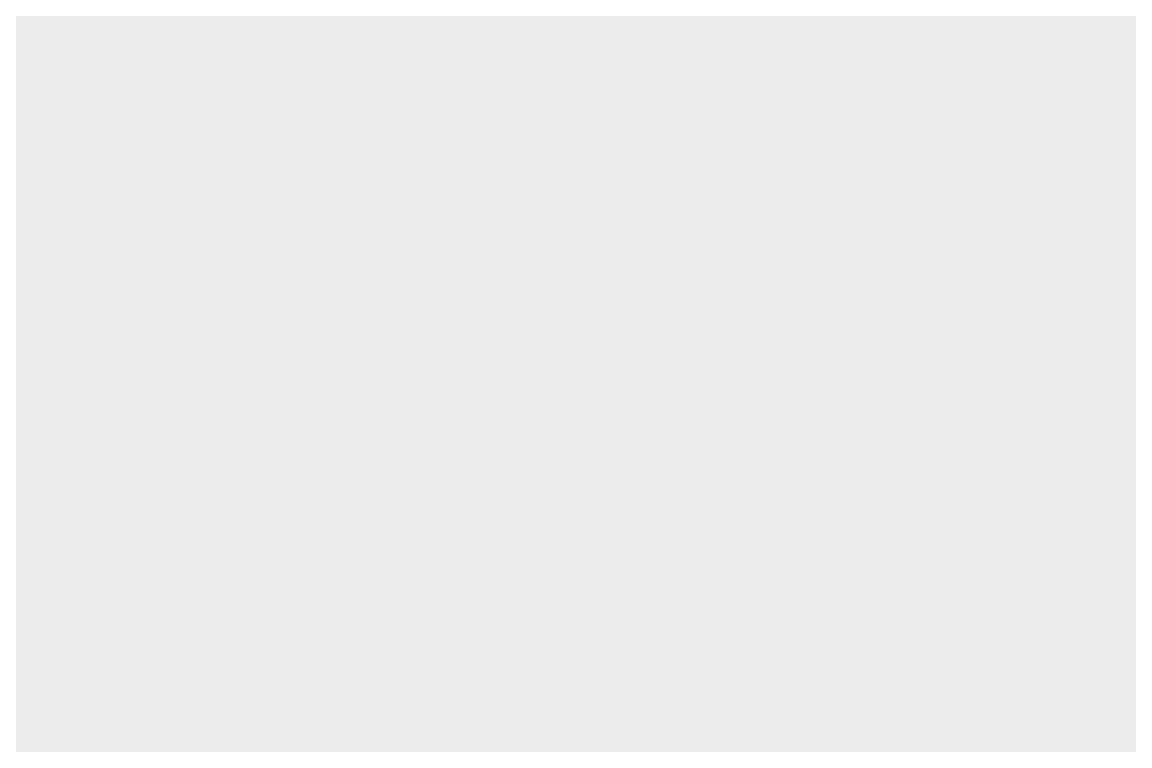

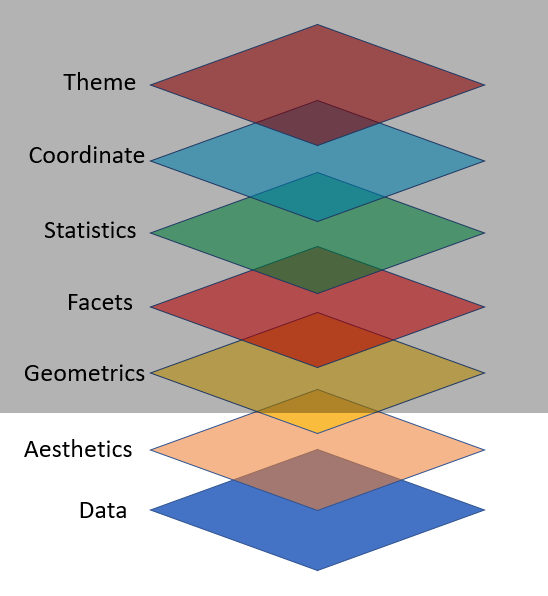
ggplot2 Layers
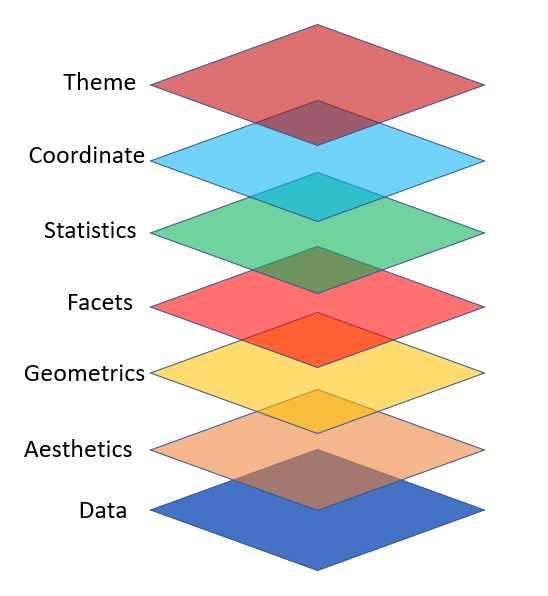
Import Data
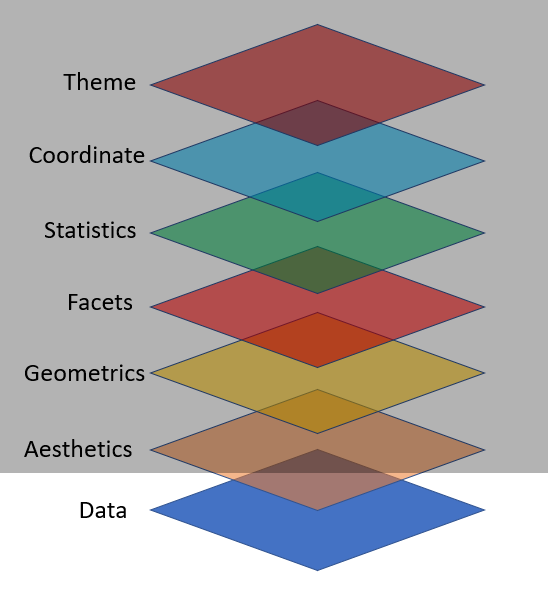
library(tidyverse)
library(palmerpenguins)

ggplot(data = penguins)
Figure 1

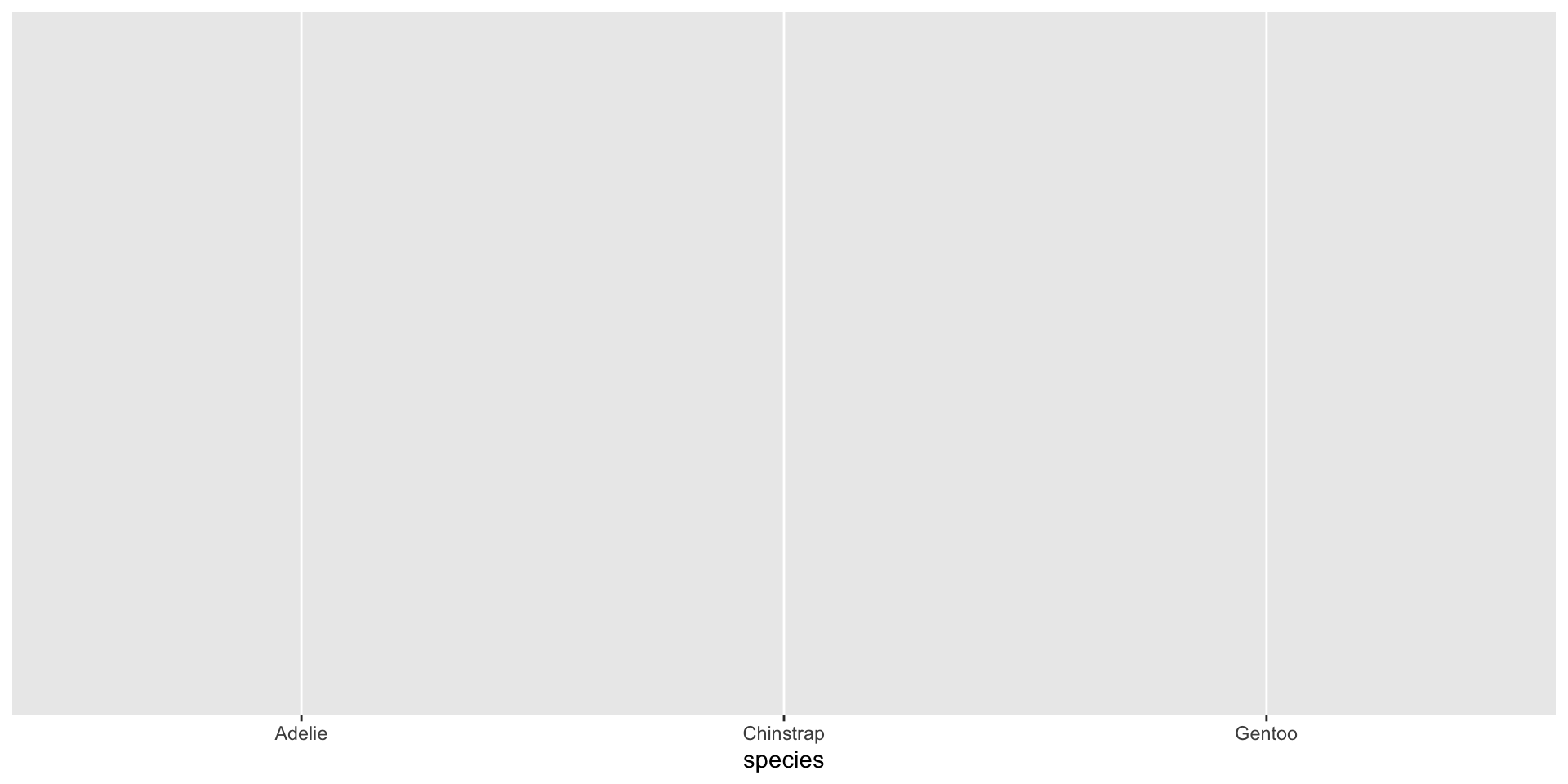
Map Variables Aesthetics

ggplot(data = penguins,
       mapping = aes(x = species))
Figure 2

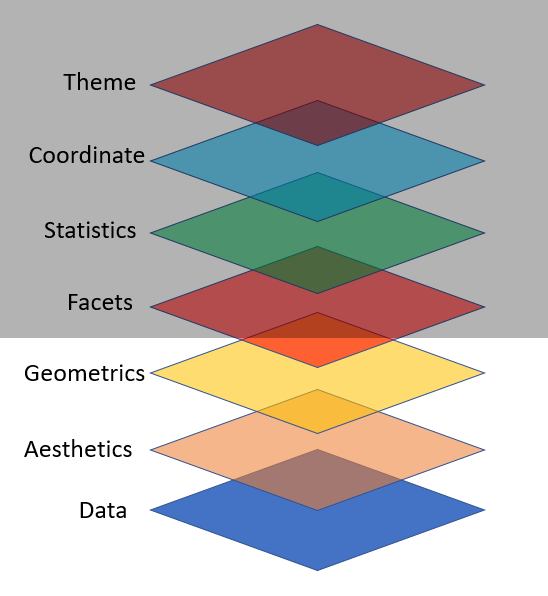
Add Geometric Shapes

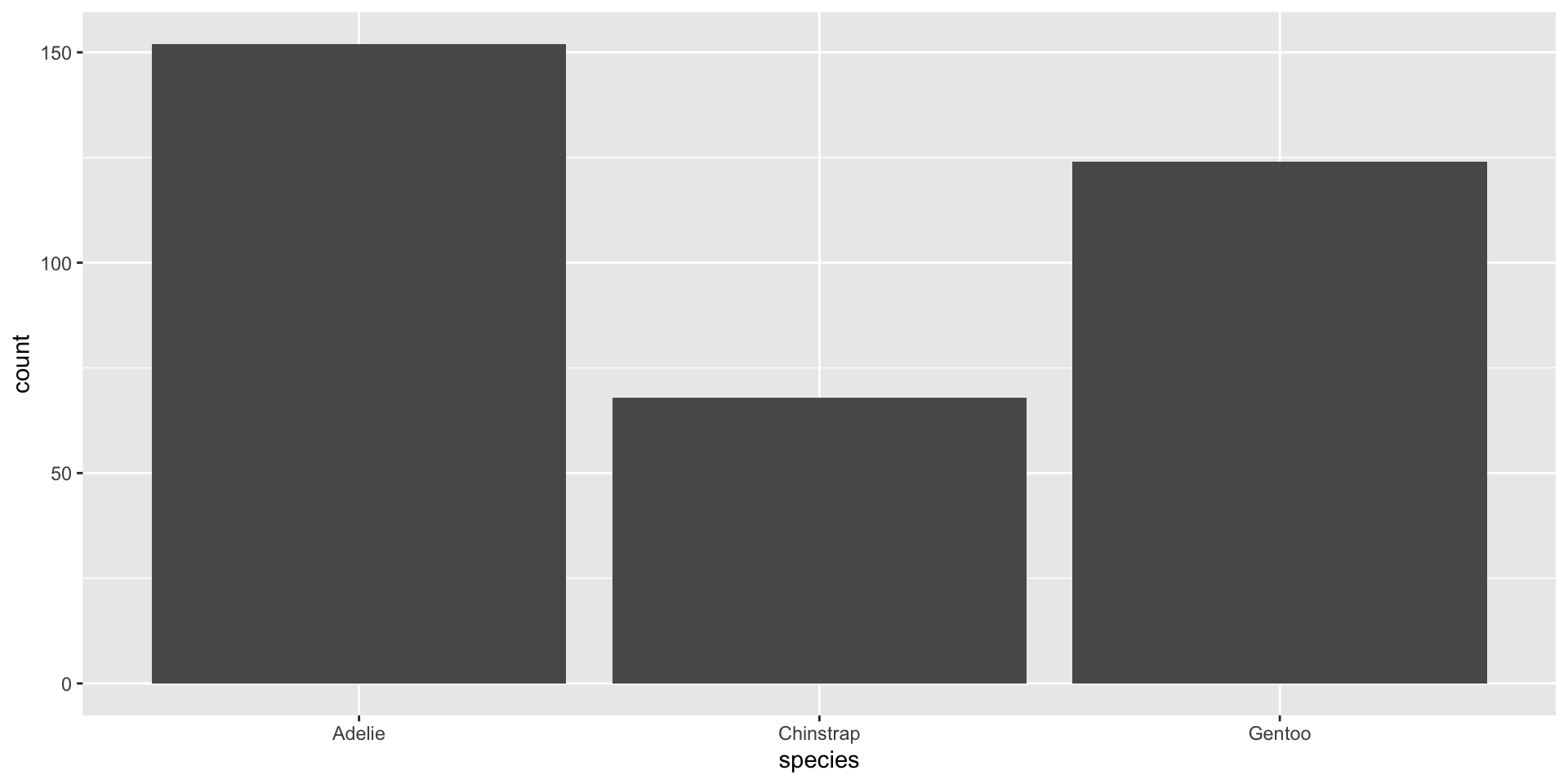
ggplot(data = penguins,
       mapping = aes(x = species)) +
  geom_bar()
Figure 3

Key Components are:


  1. data,

  2. A set of aesthetic mappings between variables in the data and visual properties, and

  3. At least one layer which describes how to render each observation. Layers are usually created with a geom function.

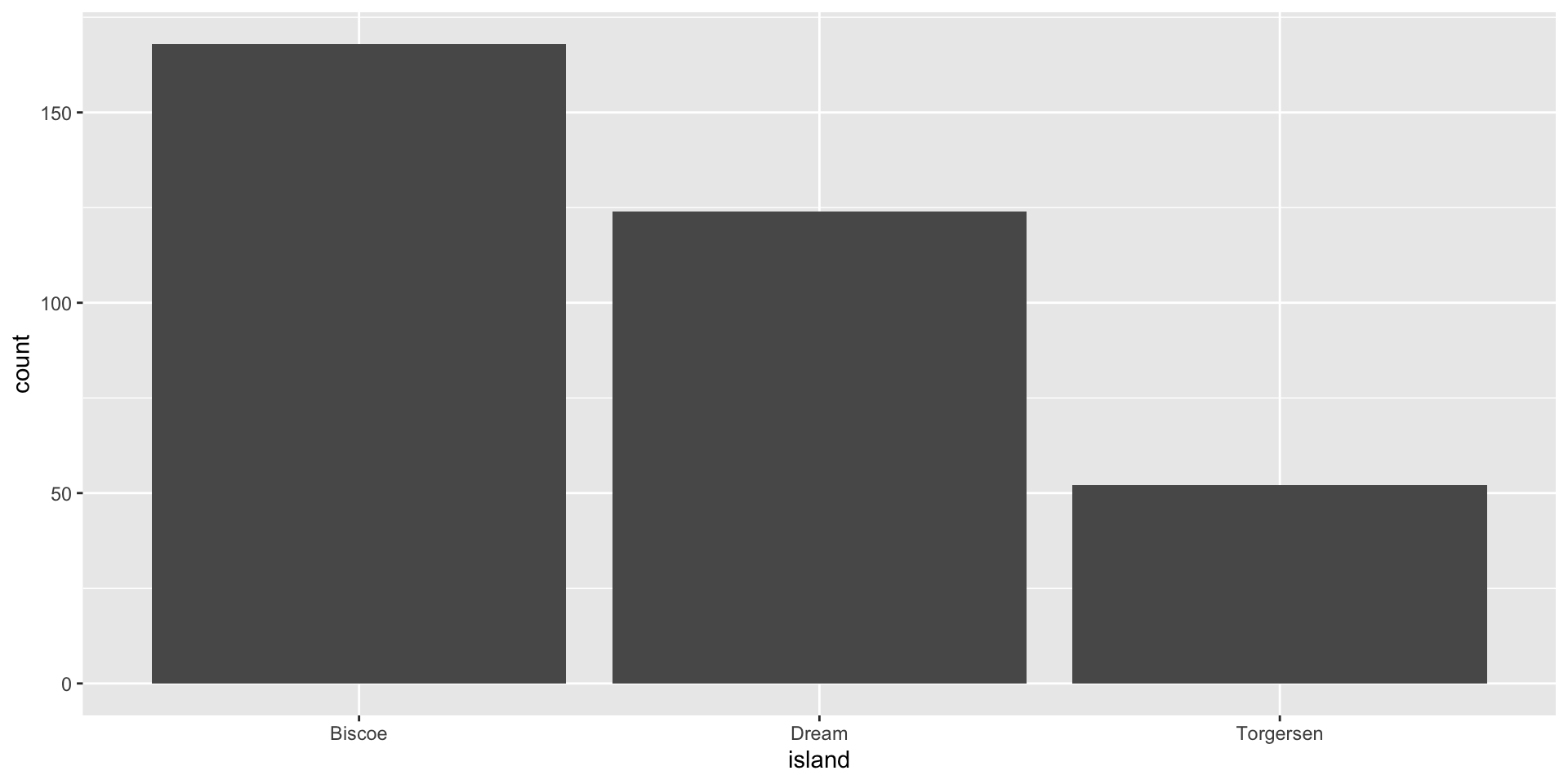
🧠 YOUR TURN

ggplot(data = penguins,
       mapping = aes(x = island)) +
  geom_bar()

Common Mistakes

  • Make sure that every ( is matched with a ) and every " is paired with another ".

  • Console shows no results but a + sign that means your code is incomplete and R is waiting for you to complete the code.

  • in ggplot + has to come at the end of the line, not the start

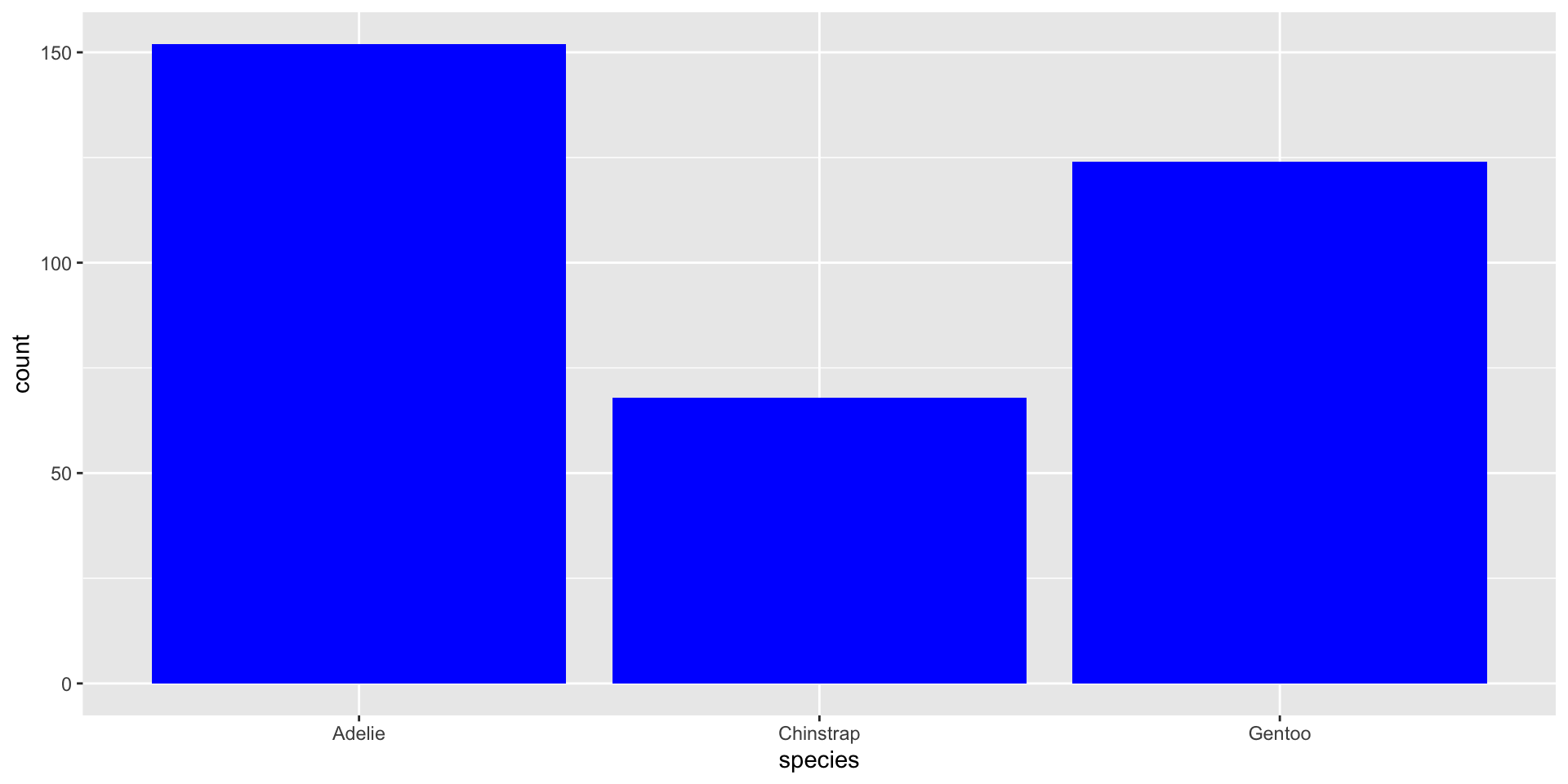
“Fill” Color

ggplot(data = penguins,
       mapping = aes(x = species)) +
  geom_bar(fill = "blue")
Figure 4

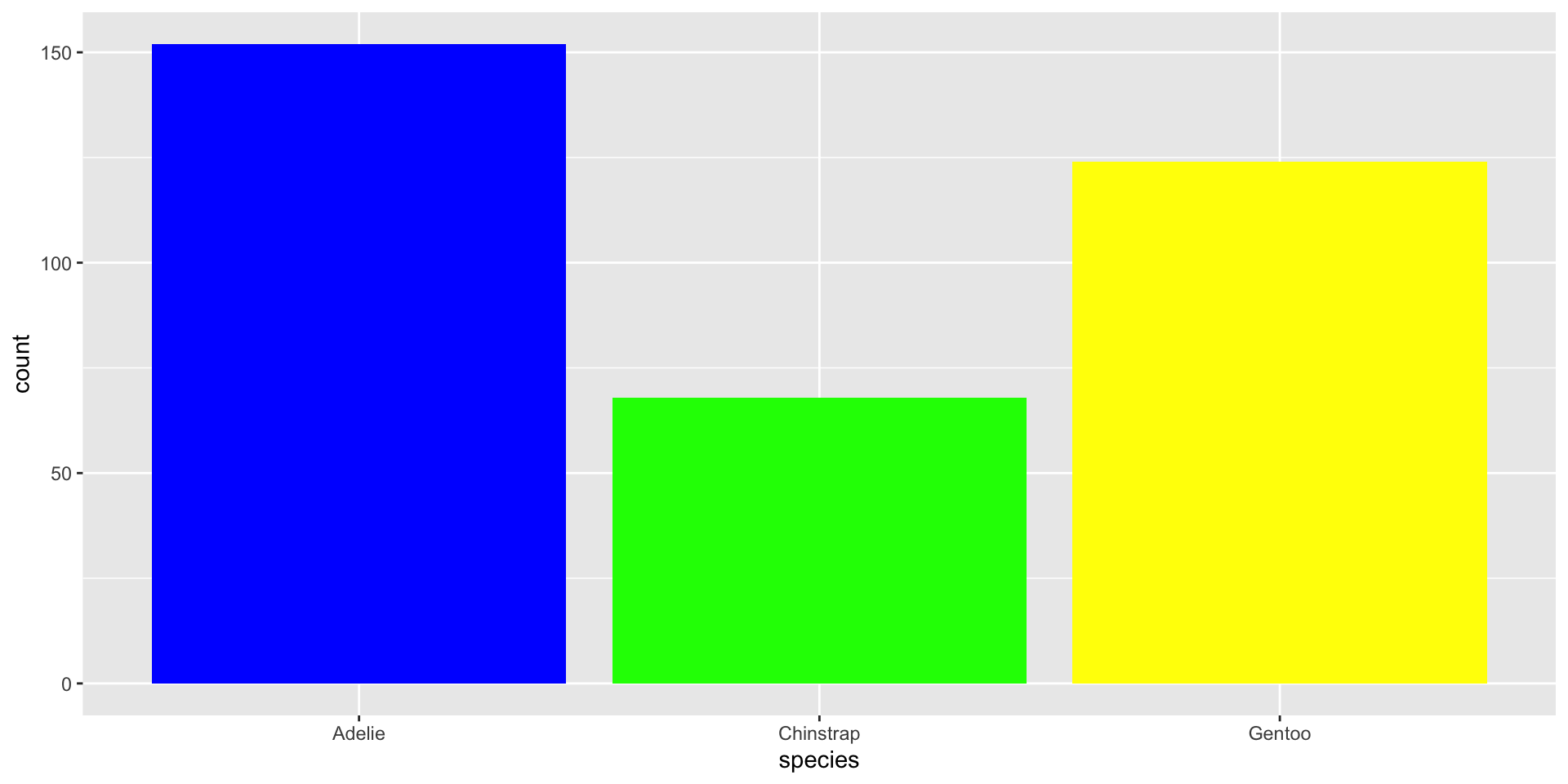
“Fill” Colors

ggplot(data = penguins,
       mapping = aes(x = species)) +
  geom_bar(fill = c("blue", "green", "yellow"))
Figure 5

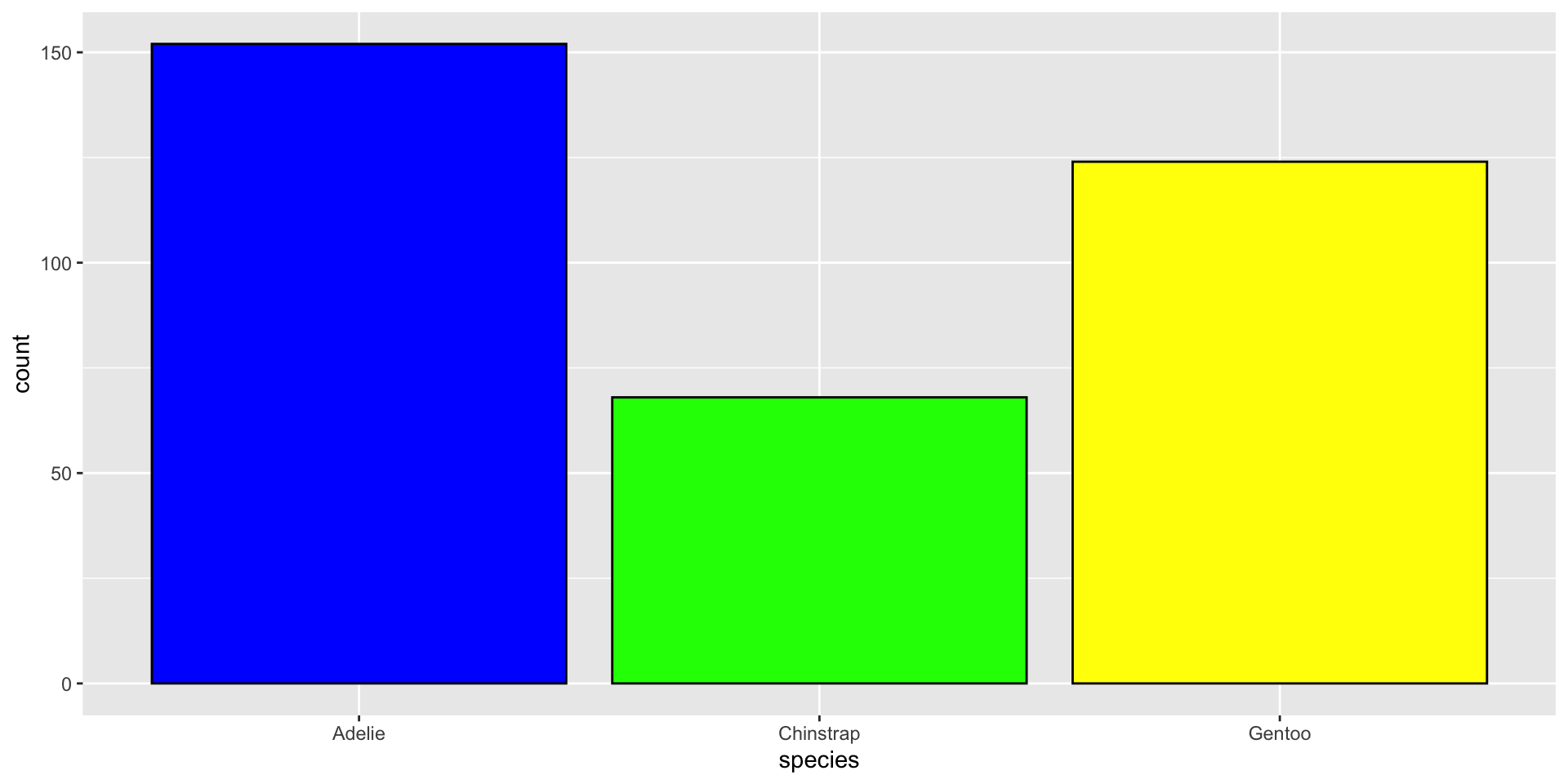
“Fill” & “Color” Colors

ggplot(data = penguins,
       mapping = aes(x = species)) +
  geom_bar(fill = c("blue", "green", "yellow"),
           color = "black")
Figure 6

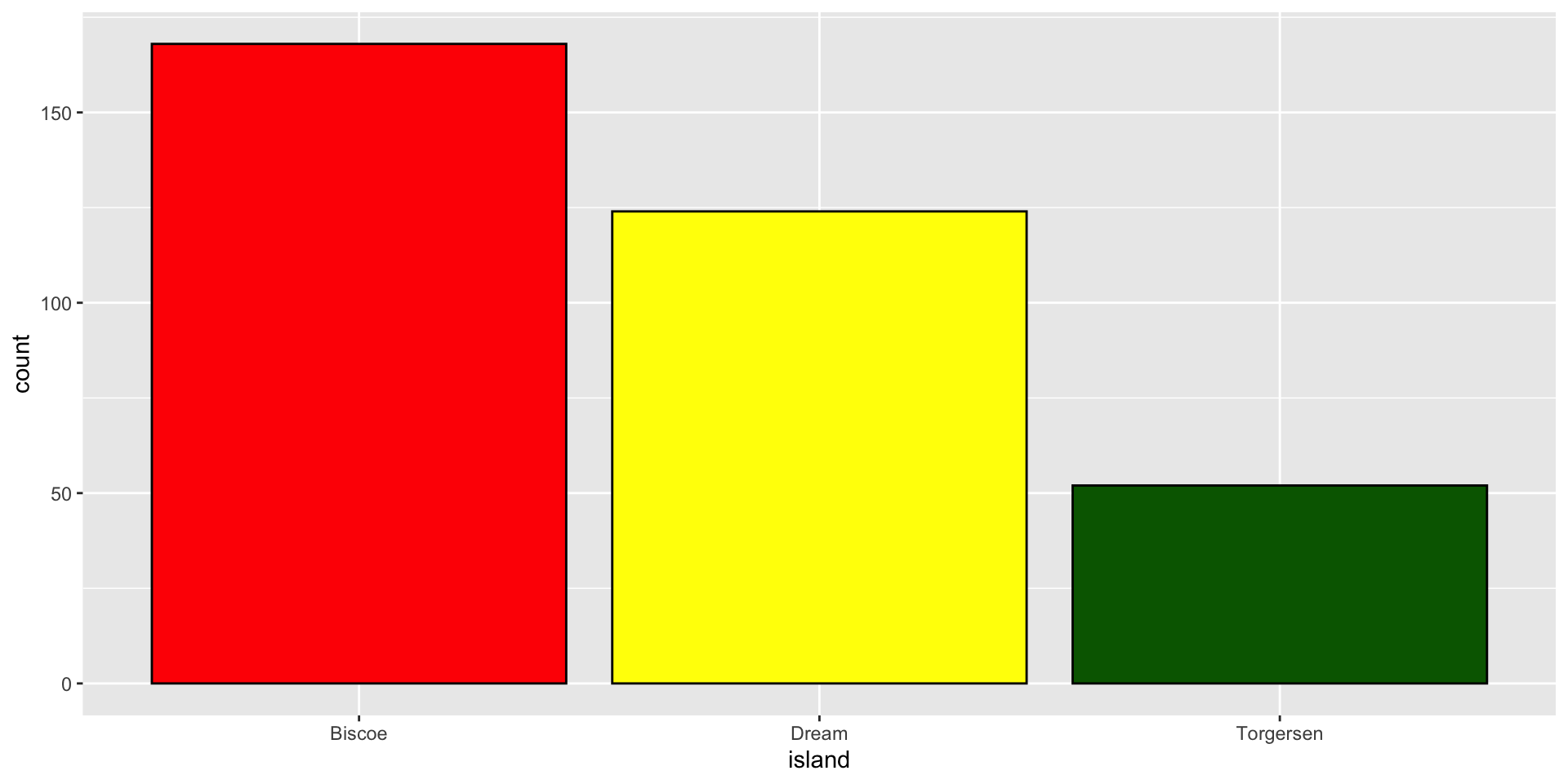
🧠 YOUR TURN

ggplot(data = penguins,
       mapping = aes(x = island)) +
  geom_bar(fill = c("red", "yellow", "darkgreen"),
           color = "black")

Know Your Data


glimpse(penguins)
Rows: 344
Columns: 8
$ species           <fct> Adelie, Adelie, Adelie, Adelie, Adelie, Adelie, Adel…
$ island            <fct> Torgersen, Torgersen, Torgersen, Torgersen, Torgerse…
$ bill_length_mm    <dbl> 39.1, 39.5, 40.3, NA, 36.7, 39.3, 38.9, 39.2, 34.1, …
$ bill_depth_mm     <dbl> 18.7, 17.4, 18.0, NA, 19.3, 20.6, 17.8, 19.6, 18.1, …
$ flipper_length_mm <int> 181, 186, 195, NA, 193, 190, 181, 195, 193, 190, 186…
$ body_mass_g       <int> 3750, 3800, 3250, NA, 3450, 3650, 3625, 4675, 3475, …
$ sex               <fct> male, female, female, NA, female, male, female, male…
$ year              <int> 2007, 2007, 2007, 2007, 2007, 2007, 2007, 2007, 2007…

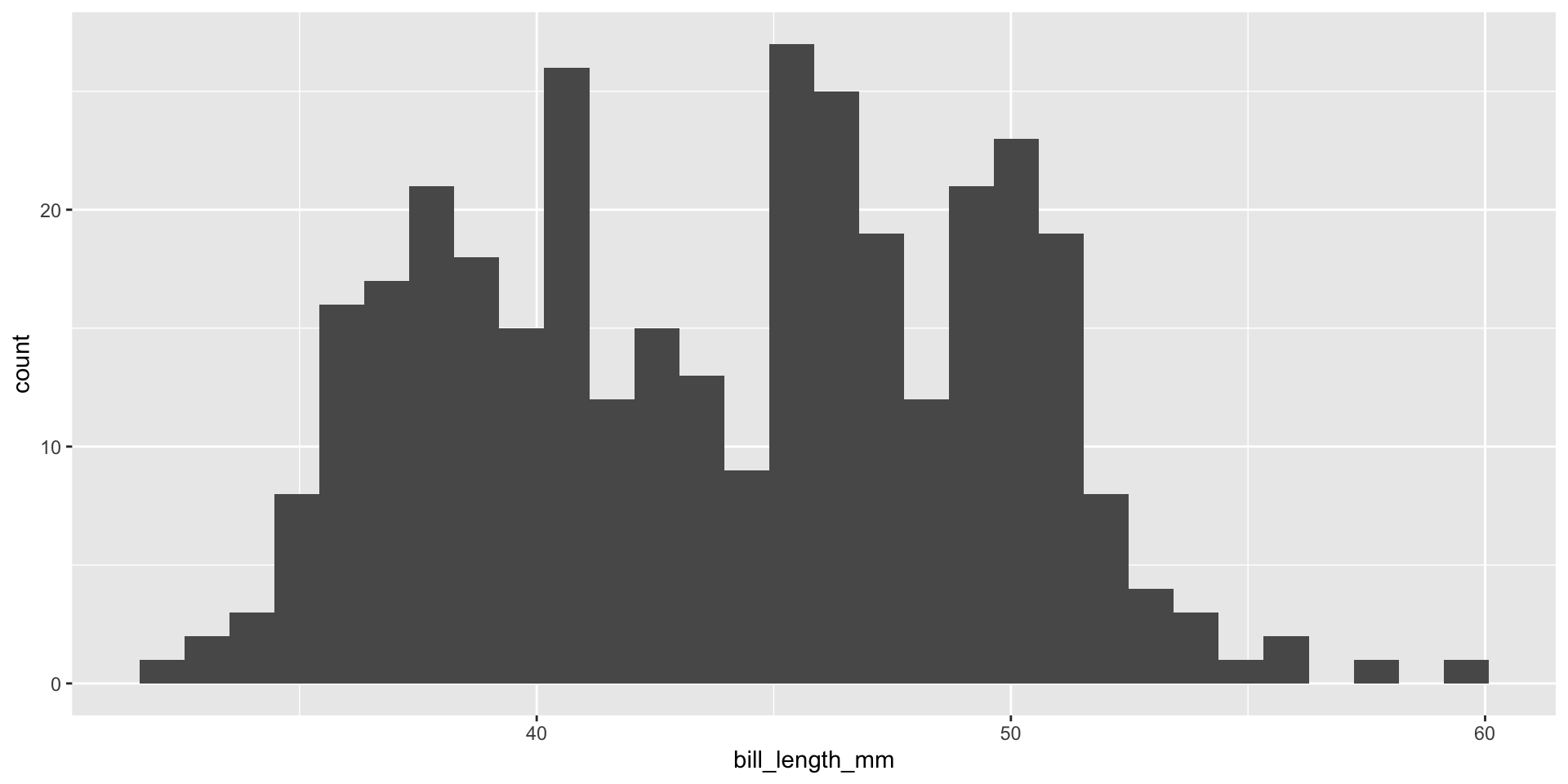
Plot A Continuous Variable

# bill_length_mm is dbl type variable/column

ggplot(data = penguins,
       mapping = aes(x = bill_length_mm)) +
  geom_histogram()
Figure 7

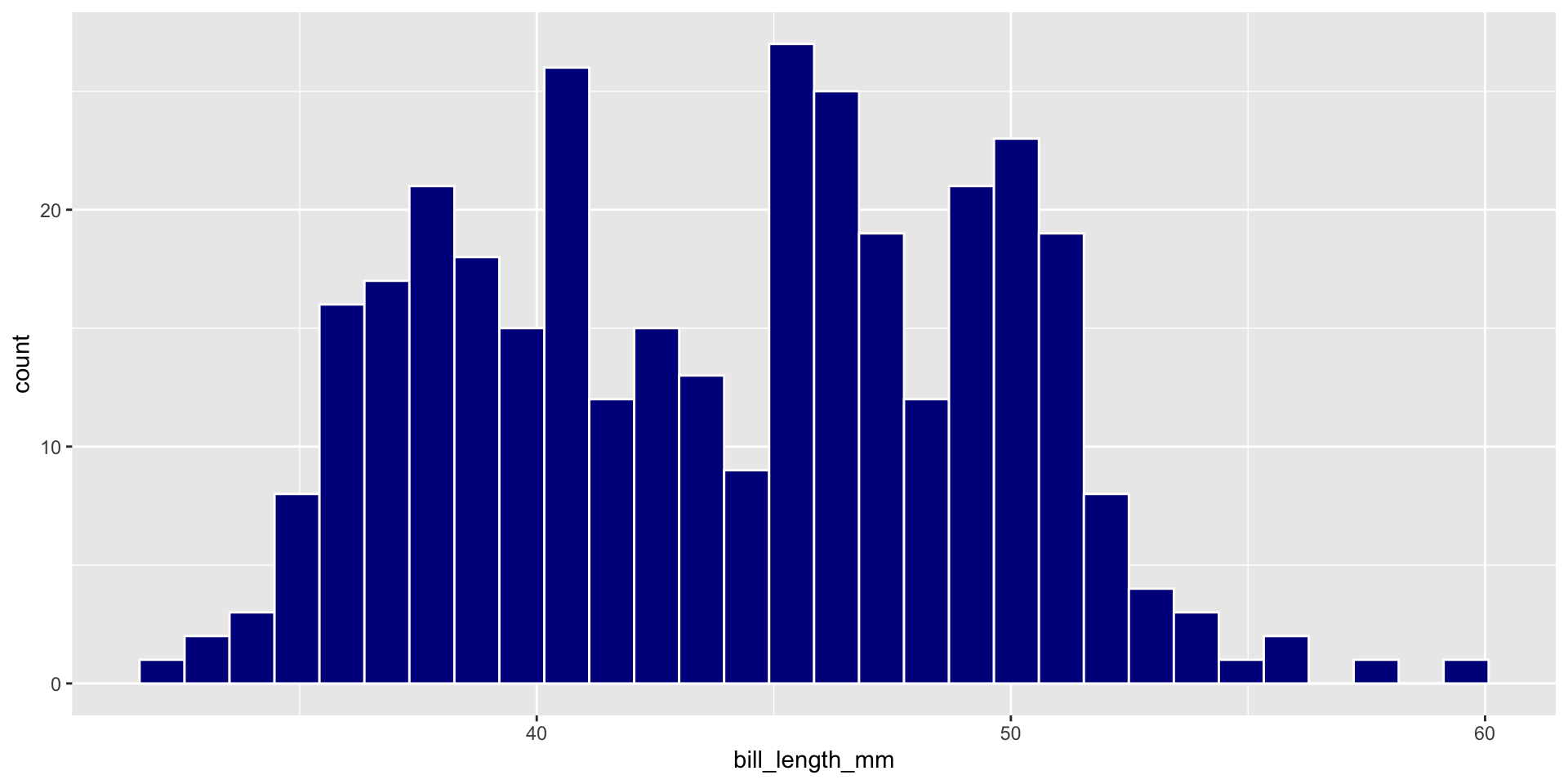
🧠 YOUR TURN

ggplot(data = penguins,
       mapping = aes(x = bill_length_mm)) +
  geom_histogram(fill = "darkblue",
                 color = "white")

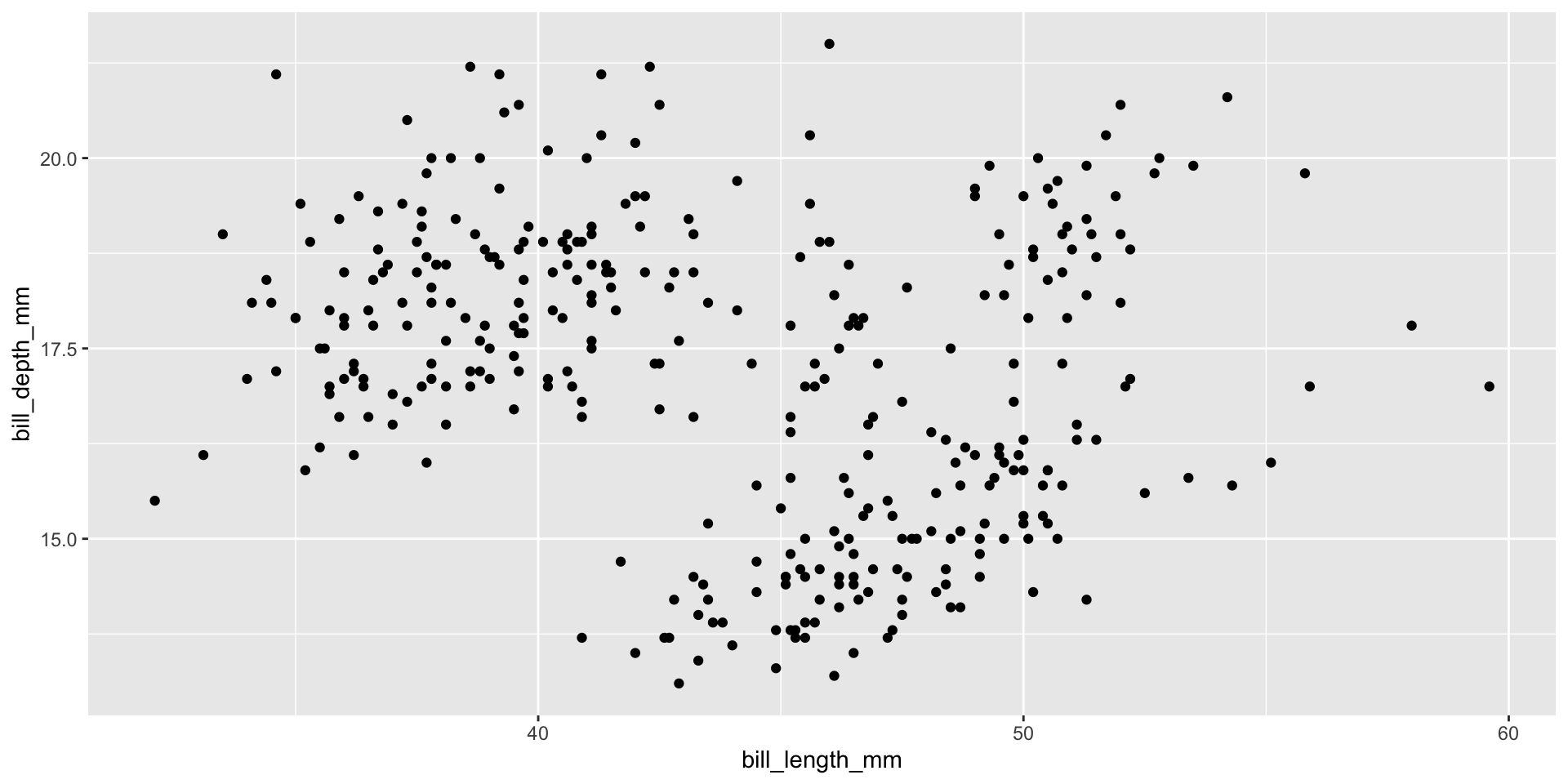
Two Continuous Variables

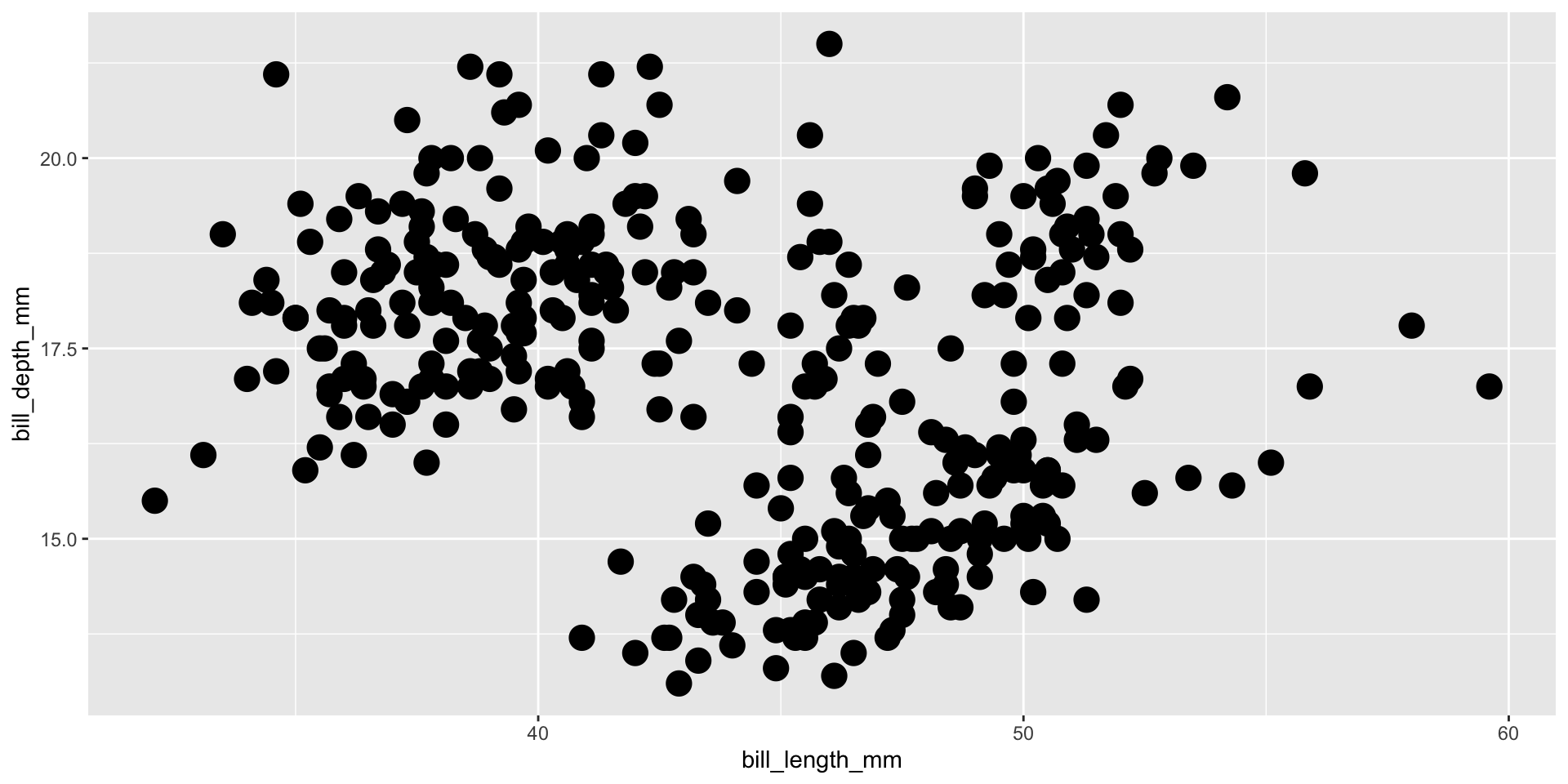
ggplot(data = penguins,
       mapping = aes(x = bill_length_mm, y = bill_depth_mm)) +
  geom_point()
Figure 8

Geom Size

ggplot(data = penguins,
       mapping = aes(x = bill_length_mm, y = bill_depth_mm)) +
  geom_point(size = 5)
Figure 9

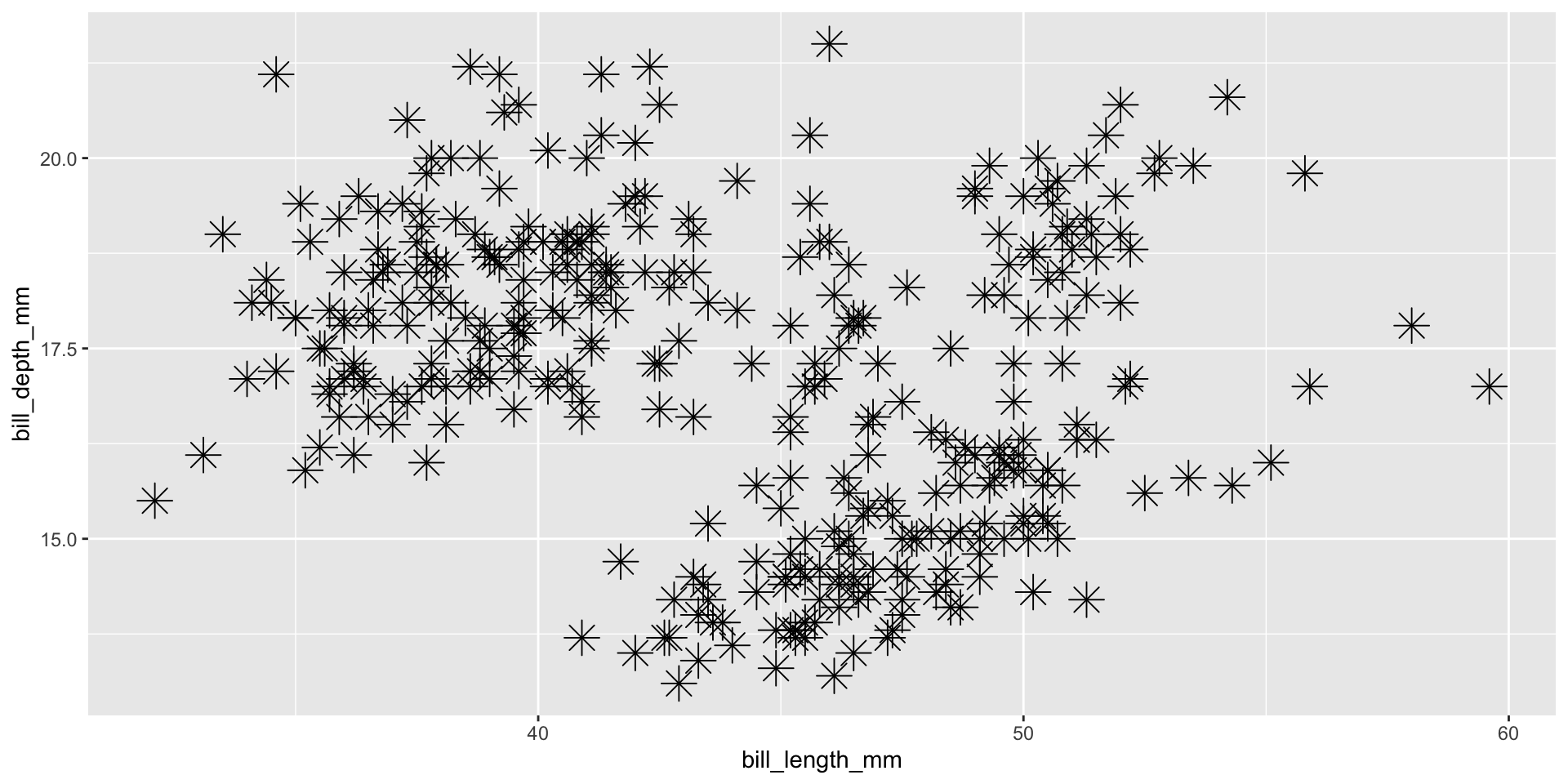
Geom Shape

ggplot(data = penguins,
       mapping = aes(x = bill_length_mm, y = bill_depth_mm)) +
  geom_point(size = 5,
             shape = 8)
Figure 10

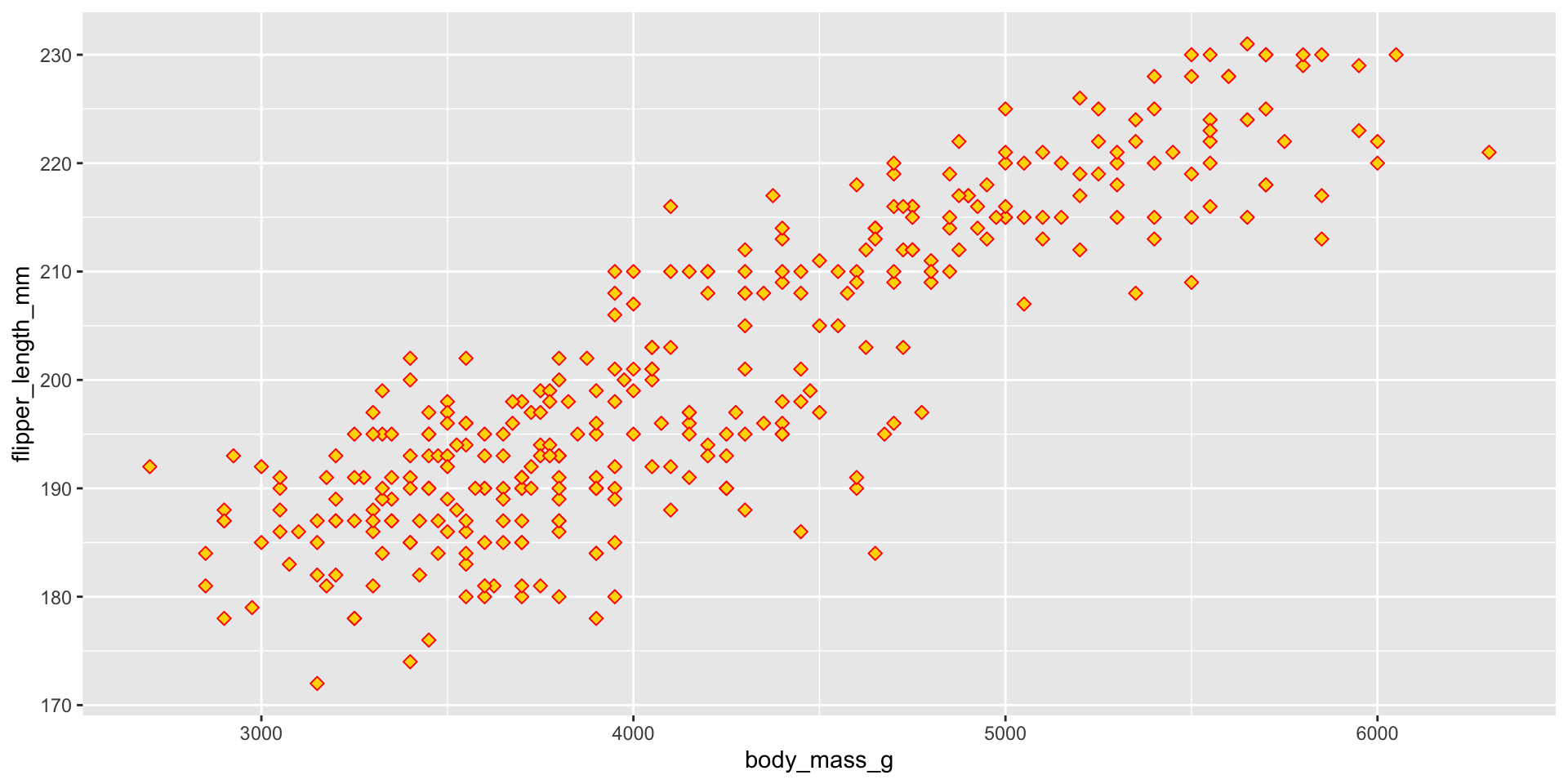
🧠 YOUR TURN

ggplot(data = penguins,
       mapping = aes(x = body_mass_g, y = flipper_length_mm)) +
  geom_point(size = 2, shape = 23, color = "red", fill = "gold")

Plot A Factor & Factor

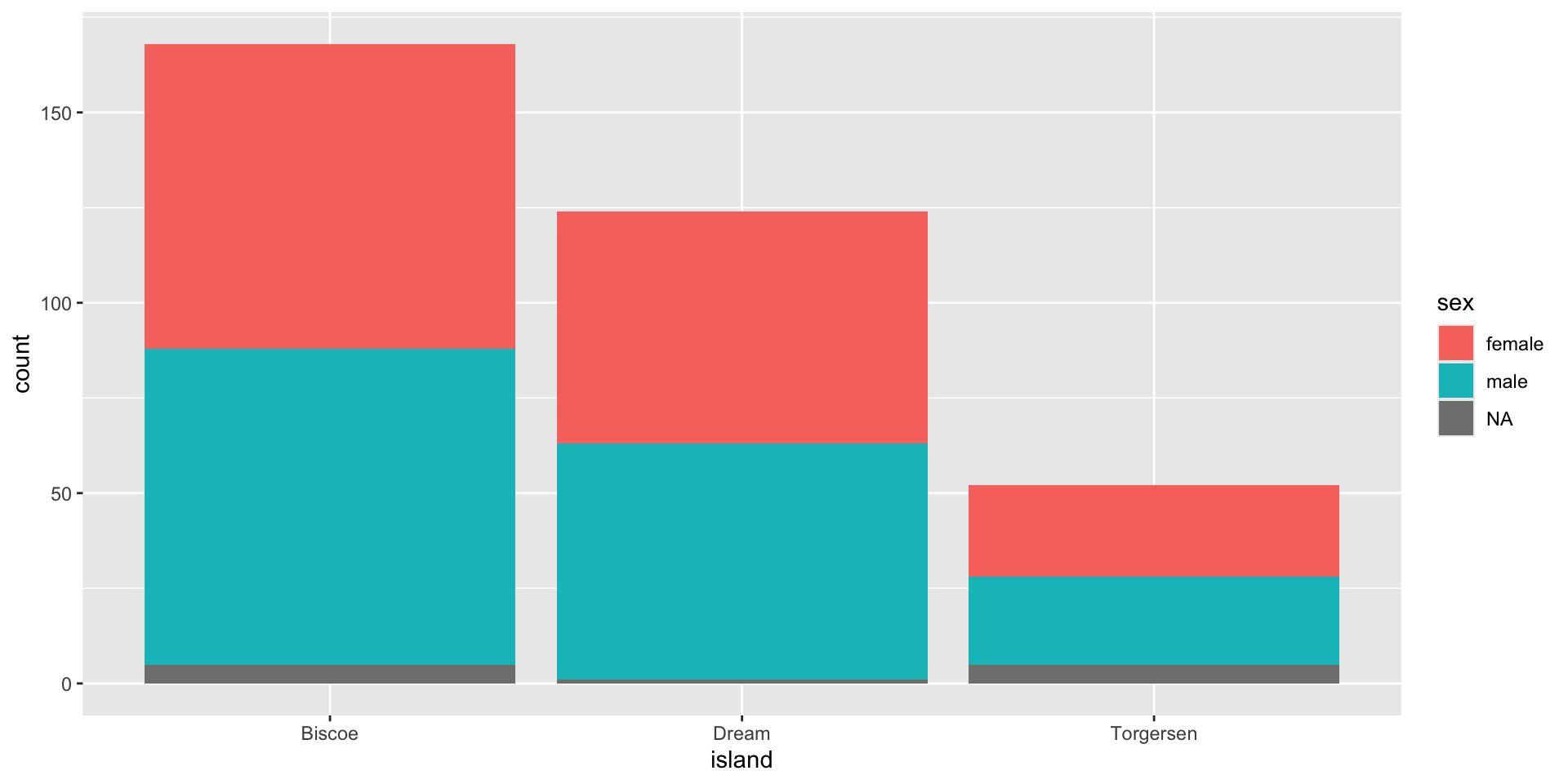
Sometimes, we want to differentiate values of a factor/category variable on the basis of another factor/category variable.

ggplot(data = penguins,
       mapping = aes(x = island)) +
  geom_bar(aes(fill = sex))
Figure 11

Plot A Factor & Continuous

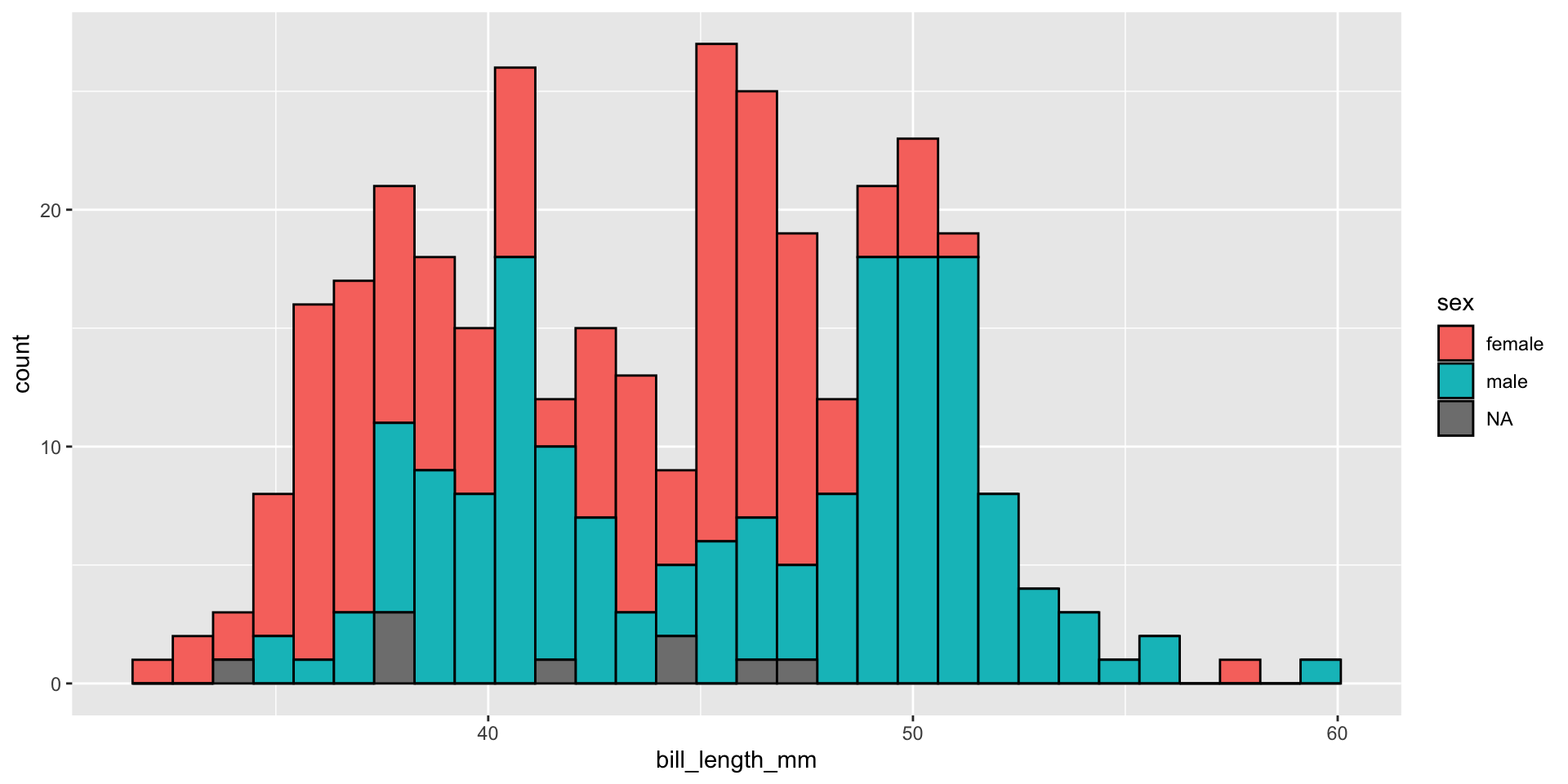
Sometimes, we want to differentiate values from a continuous variable on the basis of factor/category variables.

ggplot(data = penguins,
       mapping = aes(x = bill_length_mm)) +
  geom_histogram(aes(fill = sex), color = "black")
Figure 12

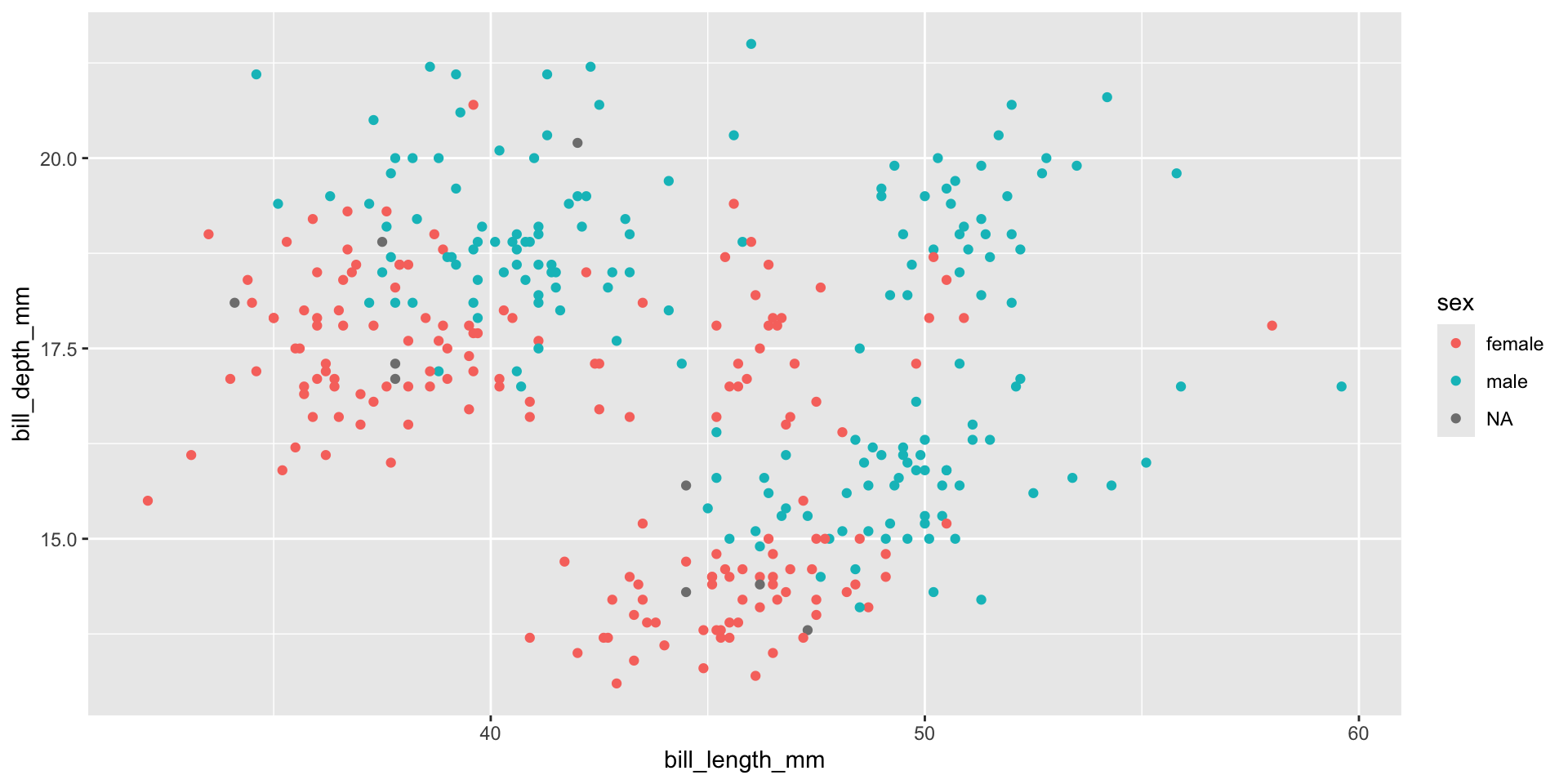
A Factor & Two Cont.

ggplot(data = penguins,
       mapping = aes(x = bill_length_mm, y = bill_depth_mm)) +
  geom_point(aes(color = sex))
Figure 13

A Factor & Two Cont.

ggplot(data = penguins,
       mapping = aes(x = bill_length_mm, y = bill_depth_mm)) +
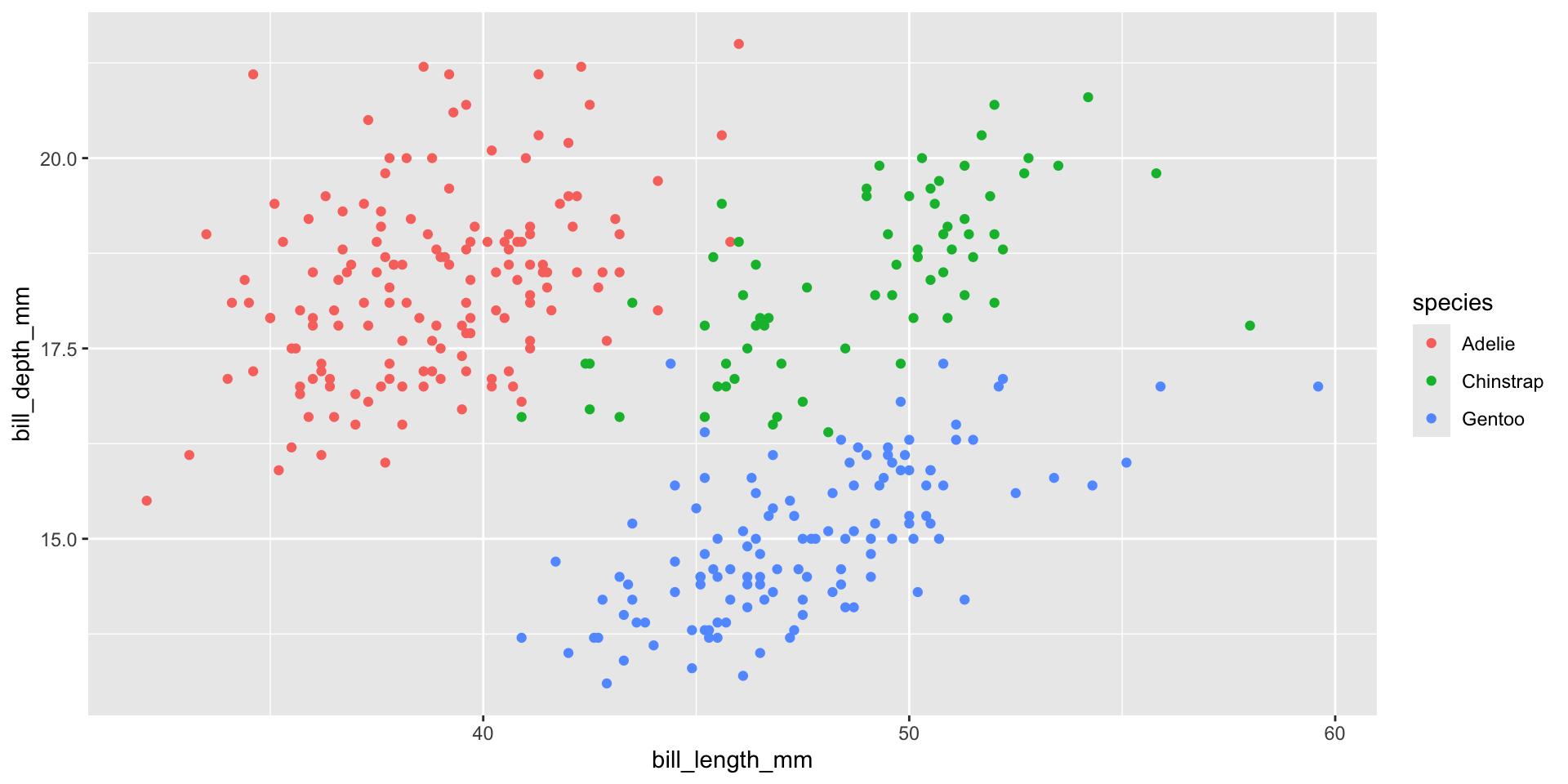
  geom_point(aes(color = species))
Figure 14

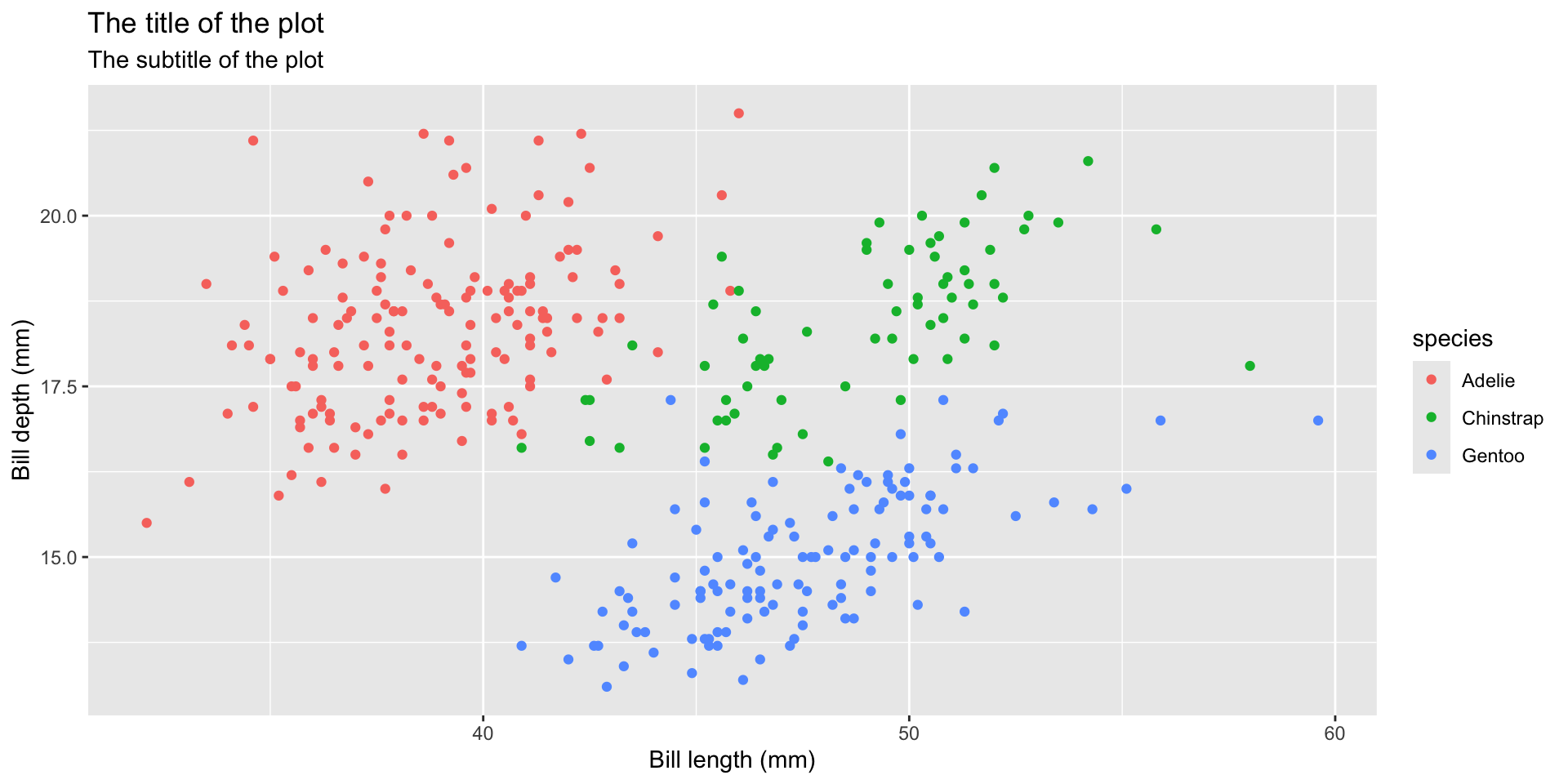
Write Labels

  • Title of the plot

  • Subtitle of the plot with more information

  • Title of the x-axis

  • Title of the y-axis

ggplot(data = penguins,
       mapping = aes(x = bill_length_mm, y = bill_depth_mm)) +
  geom_point(aes(color = species)) +
  labs(
    title = "The title of the plot",
    subtitle = "The subtitle of the plot",
    x = "Bill length (mm)",
    y = "Bill depth (mm)"
  )
Figure 15

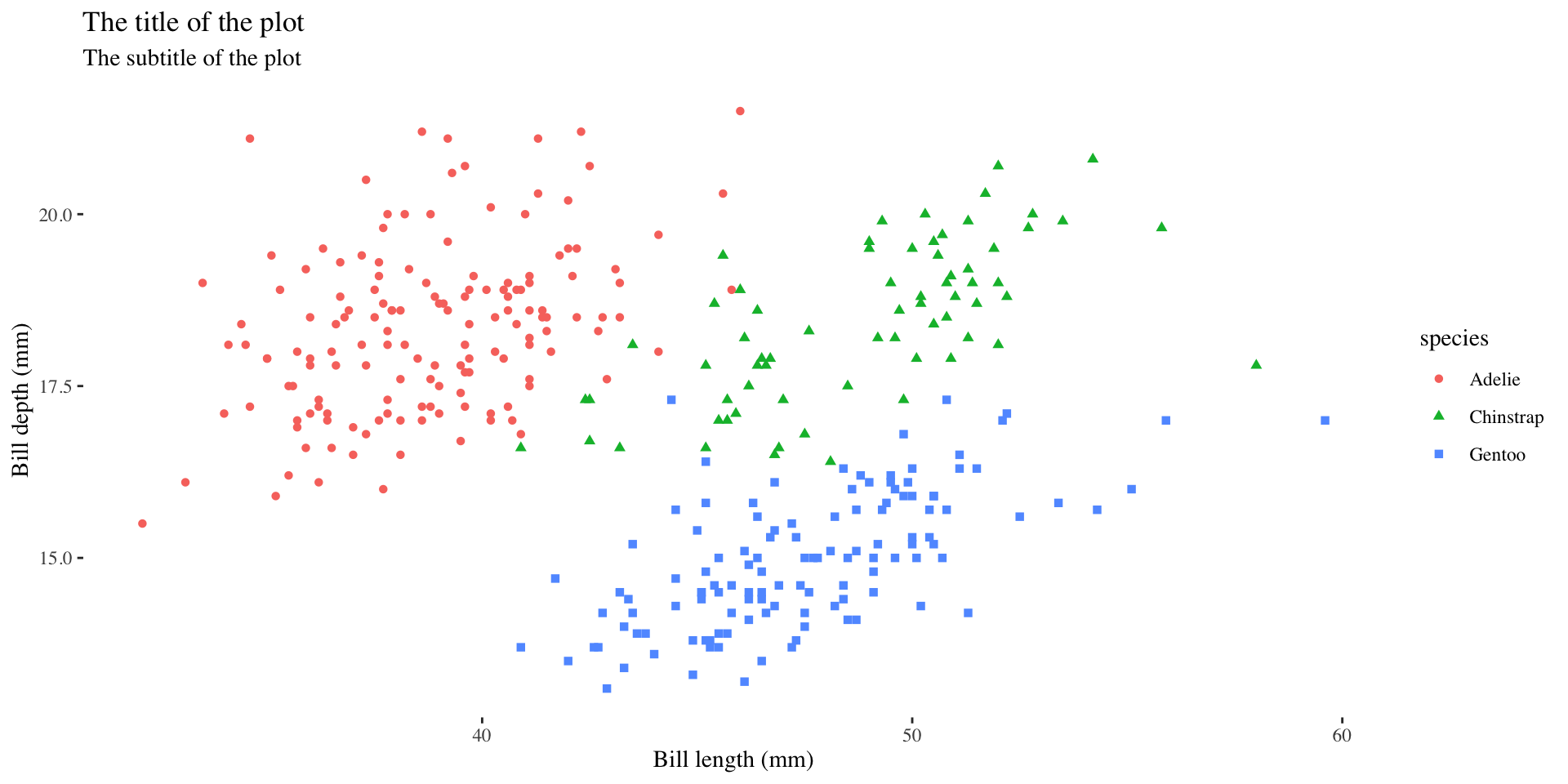
Different Shapes

Each level of the factor/category can be shown using a different shape of different color.
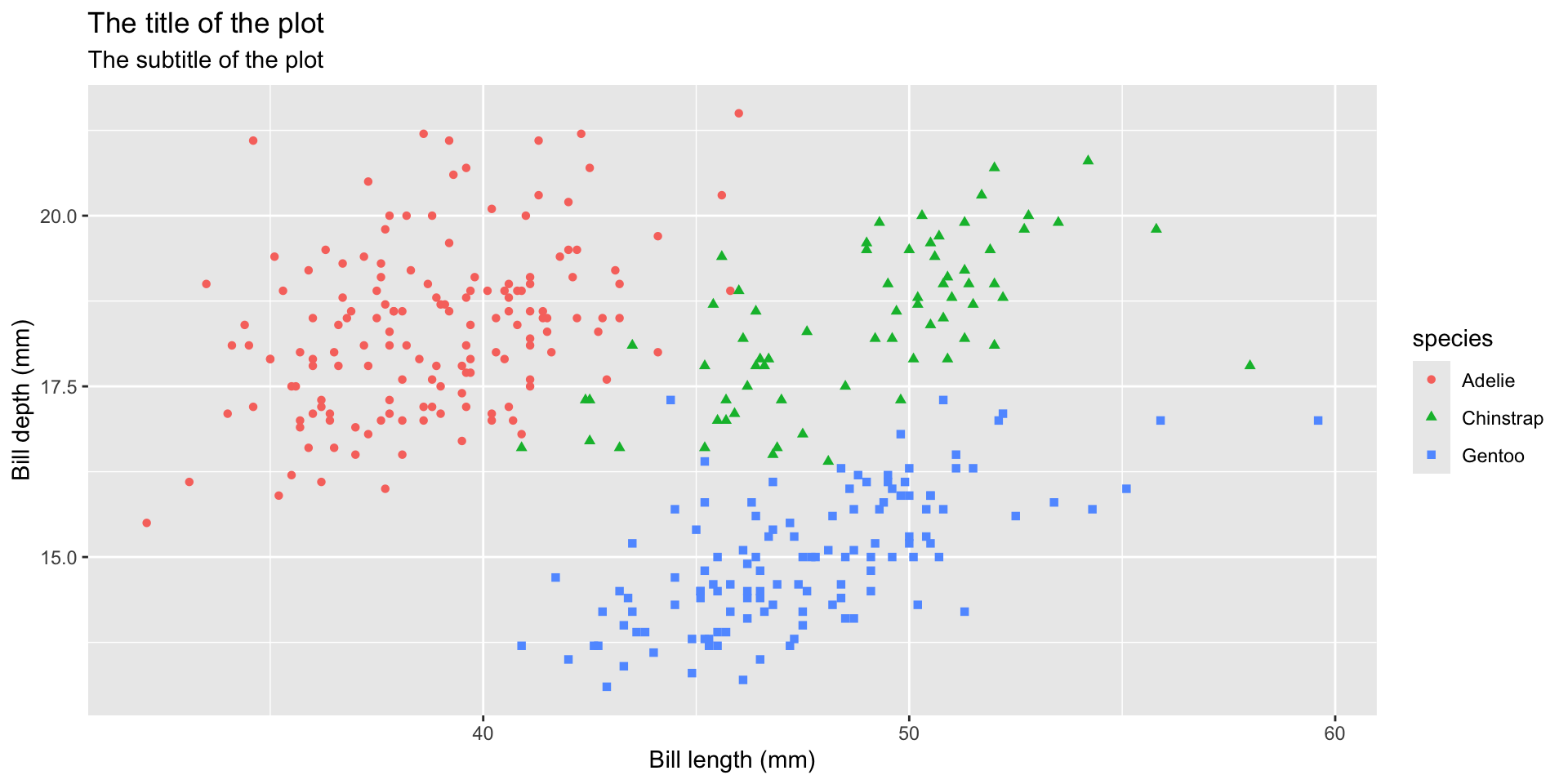
ggplot(data = penguins,
       mapping = aes(x = bill_length_mm, y = bill_depth_mm)) +
  geom_point(aes(color = species, shape = species)) +
  labs(
    title = "The title of the plot",
    subtitle = "The subtitle of the plot",
    x = "Bill length (mm)",
    y = "Bill depth (mm)"
  )
Figure 16

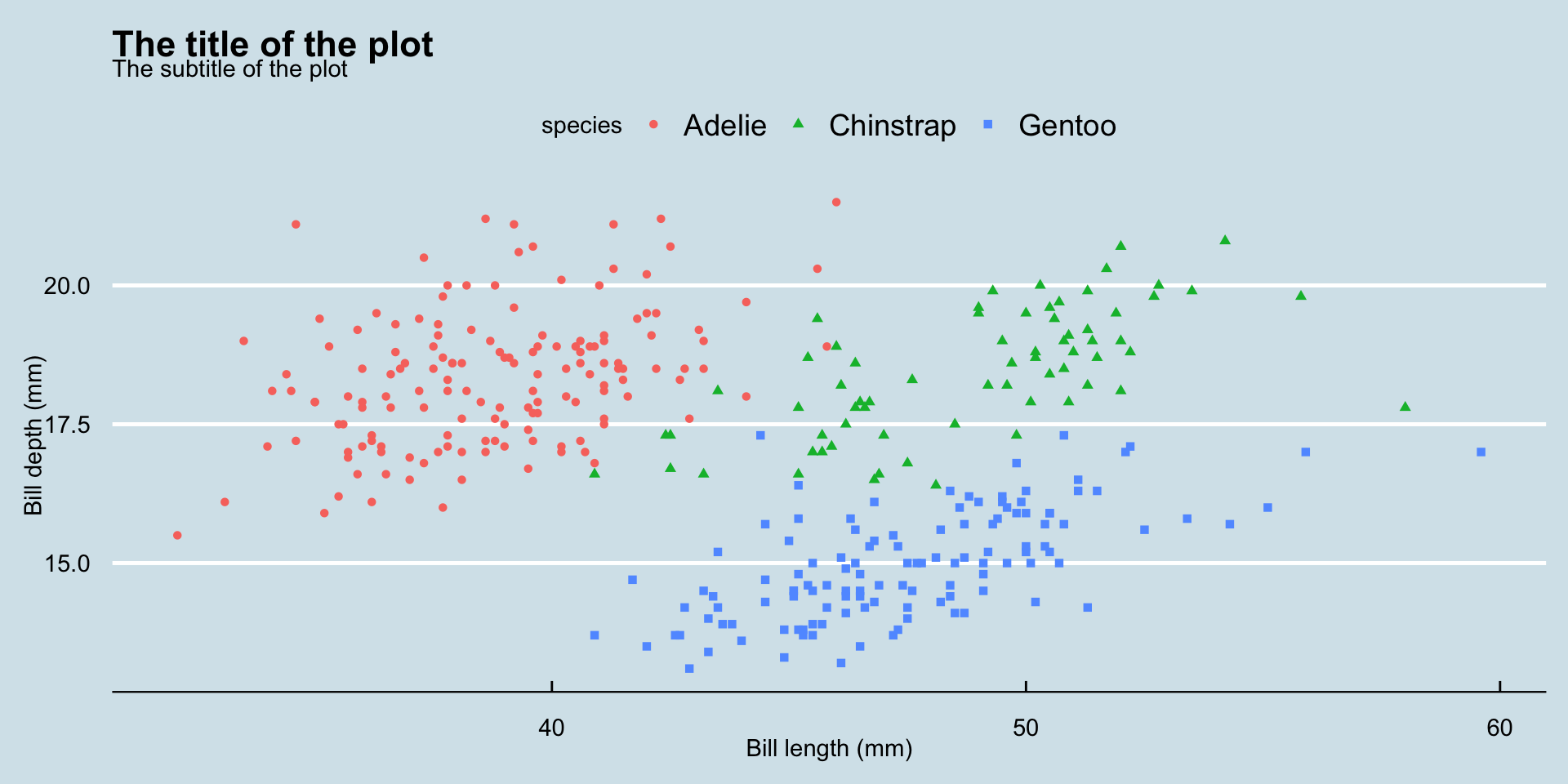
Various Themes

Source: ggthemes

library(ggthemes)
ggplot(data = penguins,
       mapping = aes(x = bill_length_mm, y = bill_depth_mm)) +
  geom_point(aes(color = species, shape = species)) +
  labs(
    title = "The title of the plot",
    subtitle = "The subtitle of the plot",
    x = "Bill length (mm)",
    y = "Bill depth (mm)"
  ) +
  theme_economist()
Figure 17

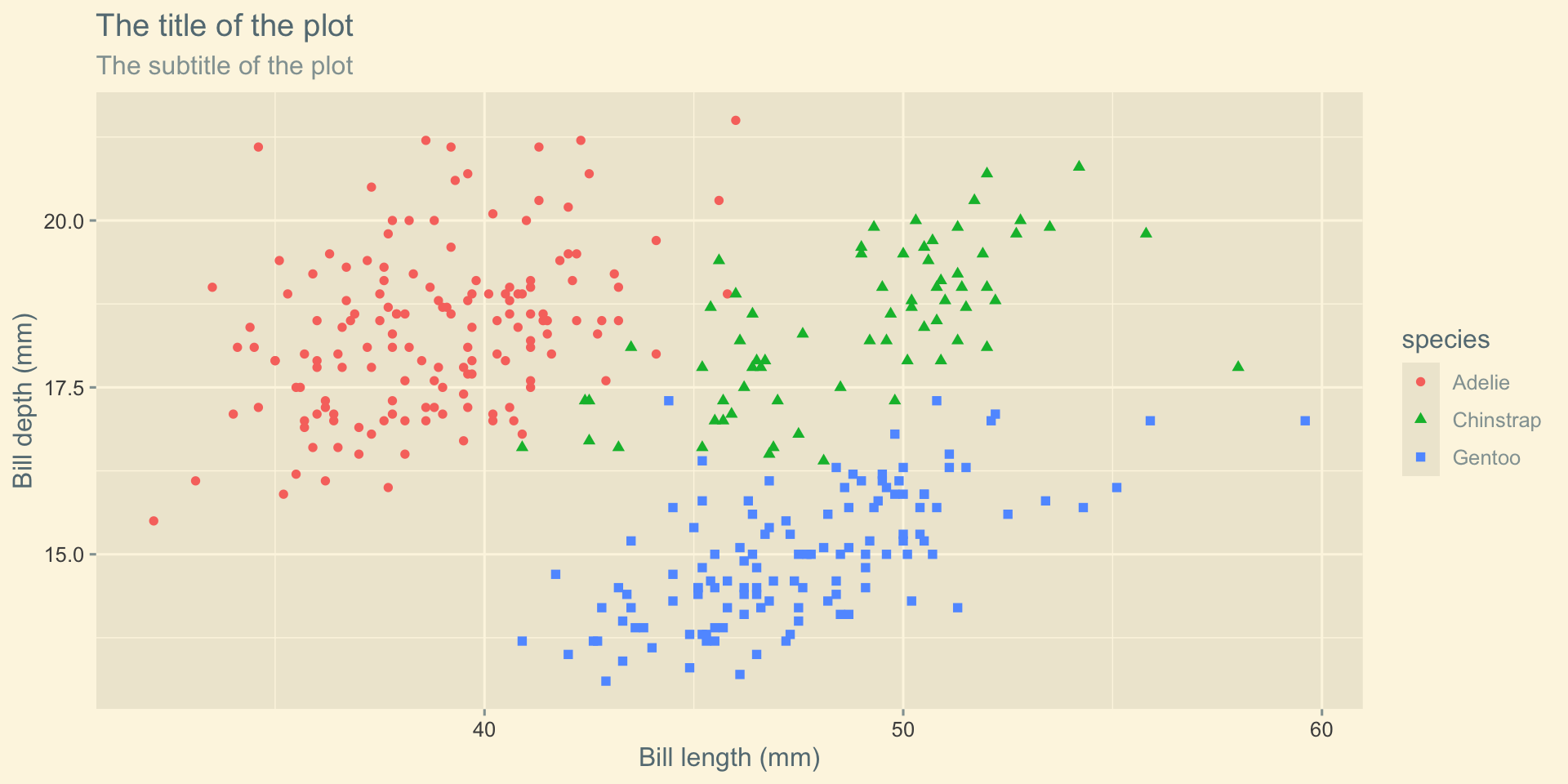
Various Themes

Source: ggthemes

library(ggthemes)
ggplot(data = penguins,
       mapping = aes(x = bill_length_mm, y = bill_depth_mm)) +
  geom_point(aes(color = species, shape = species)) +
  labs(
    title = "The title of the plot",
    subtitle = "The subtitle of the plot",
    x = "Bill length (mm)",
    y = "Bill depth (mm)"
  ) +
  theme_solarized_2()
Figure 18

Various Themes

Source: ggthemes

library(ggthemes)
ggplot(data = penguins,
       mapping = aes(x = bill_length_mm, y = bill_depth_mm)) +
  geom_point(aes(color = species, shape = species)) +
  labs(
    title = "The title of the plot",
    subtitle = "The subtitle of the plot",
    x = "Bill length (mm)",
    y = "Bill depth (mm)"
  ) +
  theme_tufte()
Figure 19

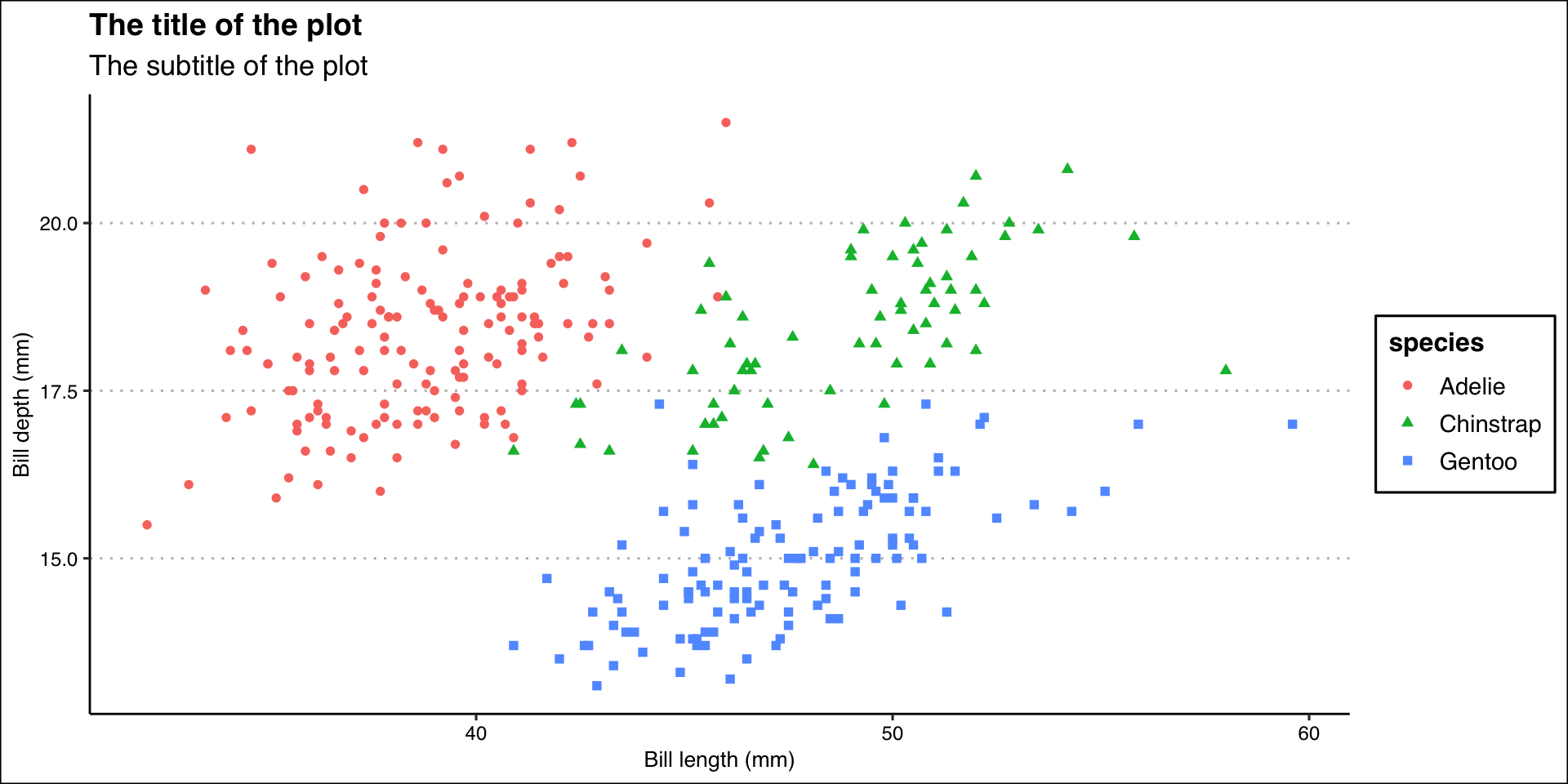
Various Themes

Source: ggthemes

library(ggthemes)
ggplot(data = penguins,
       mapping = aes(x = bill_length_mm, y = bill_depth_mm)) +
  geom_point(aes(color = species, shape = species)) +
  labs(
    title = "The title of the plot",
    subtitle = "The subtitle of the plot",
    x = "Bill length (mm)",
    y = "Bill depth (mm)"
  ) +
  theme_clean()
Figure 20

Color Palette

Color Palette

R package ggthemes have function to use color scheme for colorblindness. Know more

ggplot(data = penguins,
       mapping = aes(x = bill_length_mm, y = bill_depth_mm)) +
  geom_point(aes(color = species, shape = species)) +
  labs(
    title = "The title of the plot",
    subtitle = "The subtitle of the plot",
    x = "Bill length (mm)",
    y = "Bill depth (mm)"
  ) +
  theme_clean() +
  scale_color_colorblind()
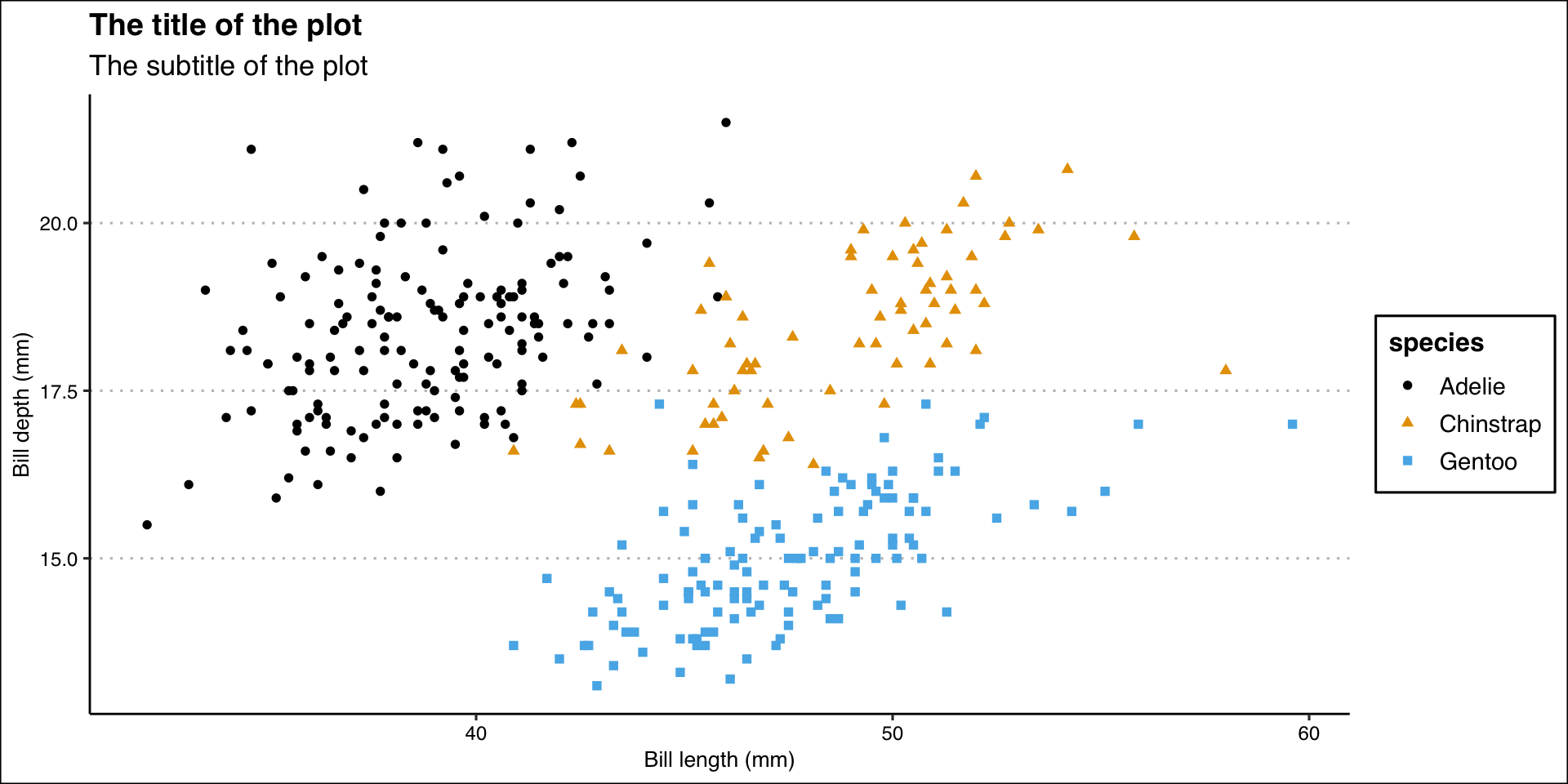
Figure 21

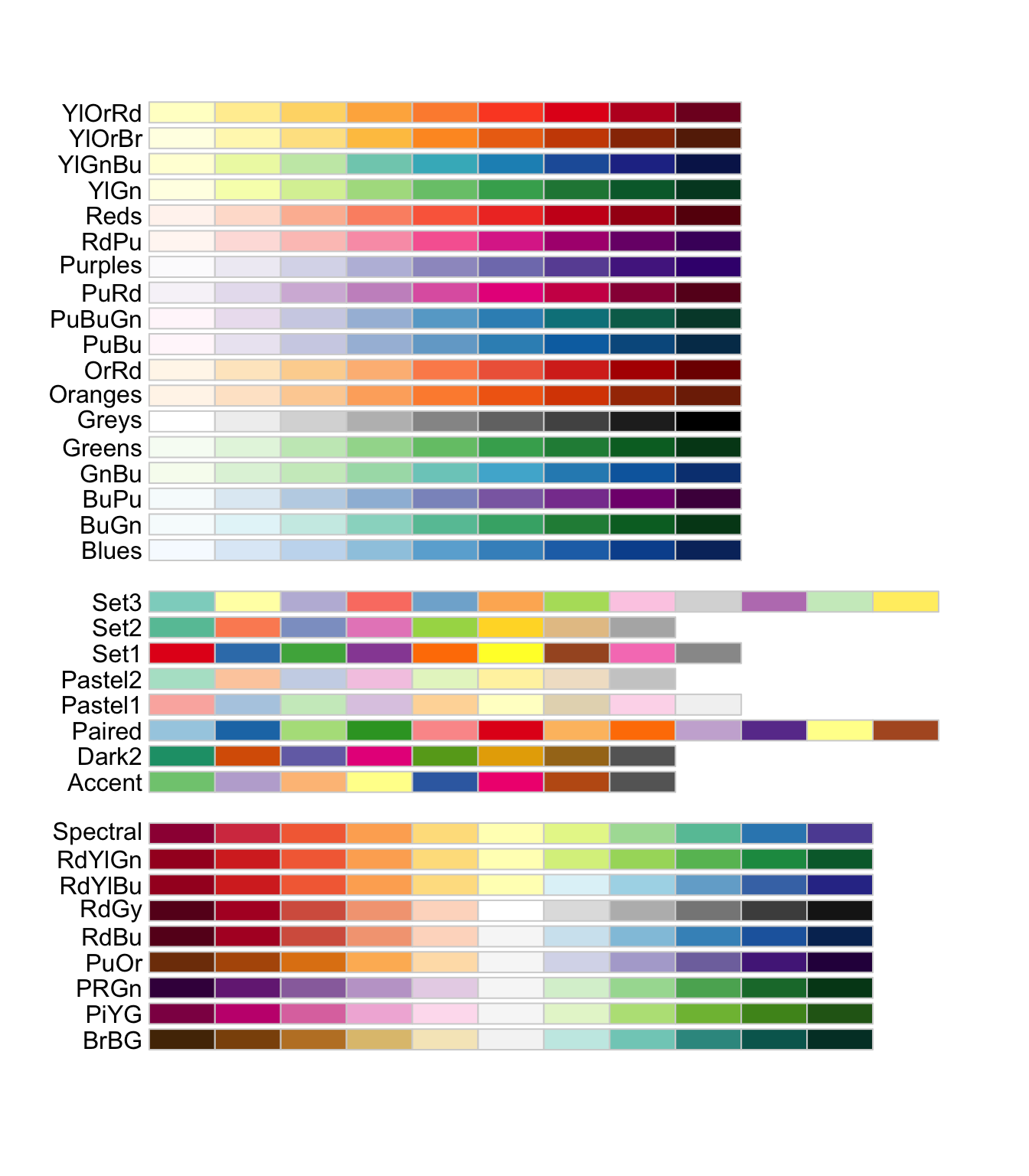
Color Palette

library(RColorBrewer)
ggplot(data = penguins,
       mapping = aes(x = bill_length_mm, y = bill_depth_mm)) +
  geom_point(aes(color = species, shape = species)) +
  labs(
    title = "The title of the plot",
    subtitle = "The subtitle of the plot",
    x = "Bill length (mm)",
    y = "Bill depth (mm)"
  ) +
  theme_clean() +
  scale_color_brewer(palette = "Dark2")
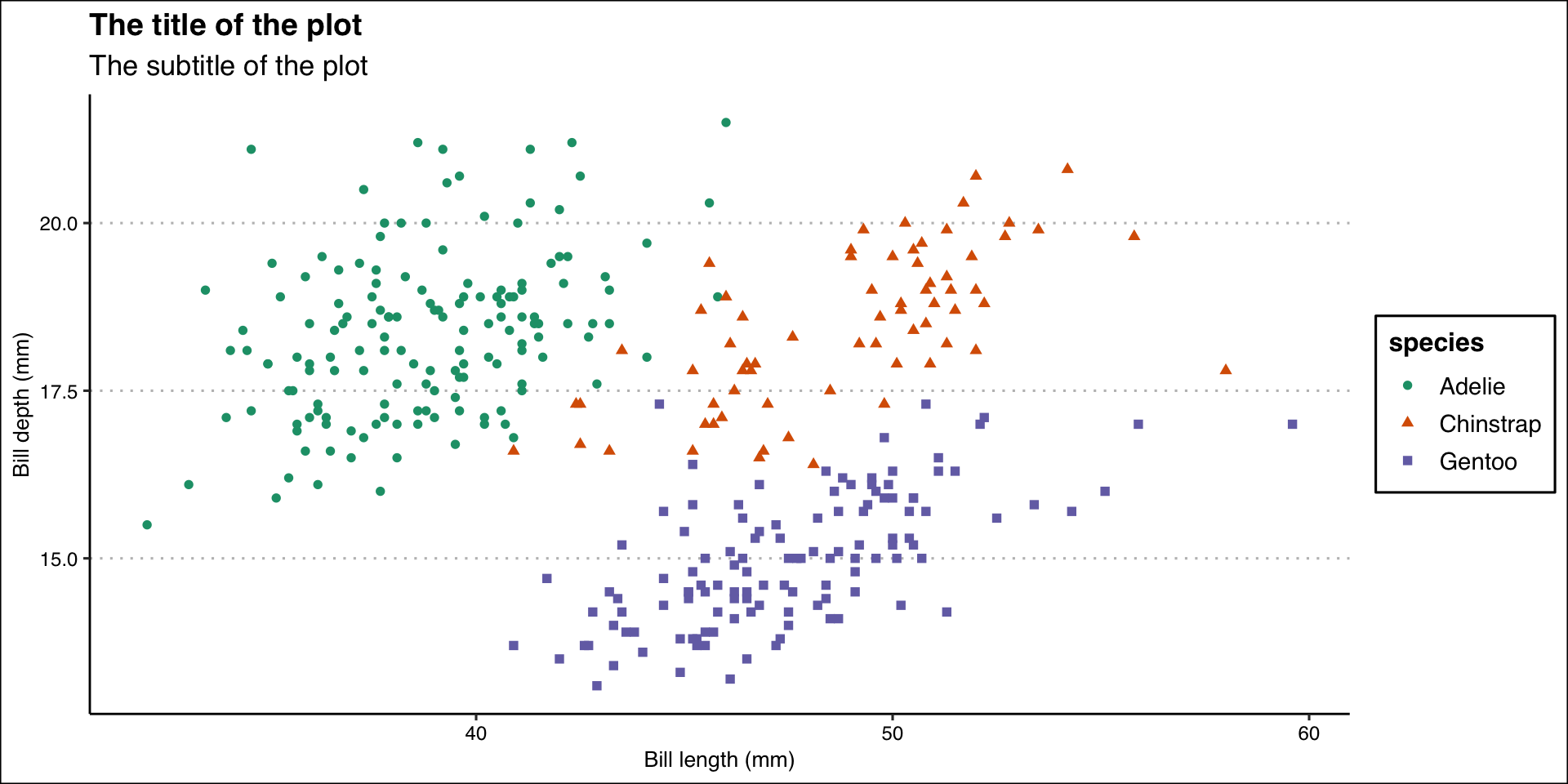
Figure 22

Color Palette

library(wesanderson)

names(wes_palettes)
 [1] "BottleRocket1"     "BottleRocket2"     "Rushmore1"        
 [4] "Rushmore"          "Royal1"            "Royal2"           
 [7] "Zissou1"           "Zissou1Continuous" "Darjeeling1"      
[10] "Darjeeling2"       "Chevalier1"        "FantasticFox1"    
[13] "Moonrise1"         "Moonrise2"         "Moonrise3"        
[16] "Cavalcanti1"       "GrandBudapest1"    "GrandBudapest2"   
[19] "IsleofDogs1"       "IsleofDogs2"       "FrenchDispatch"   
[22] "AsteroidCity1"     "AsteroidCity2"     "AsteroidCity3"    
ggplot(data = penguins,
       mapping = aes(x = bill_length_mm, y = bill_depth_mm)) +
  geom_point(aes(color = species, shape = species)) +
  labs(
    title = "The title of the plot",
    subtitle = "The subtitle of the plot",
    x = "Bill length (mm)",
    y = "Bill depth (mm)"
  ) +
  theme_clean() +
  scale_color_manual(values = wes_palette("BottleRocket2", n = 3))
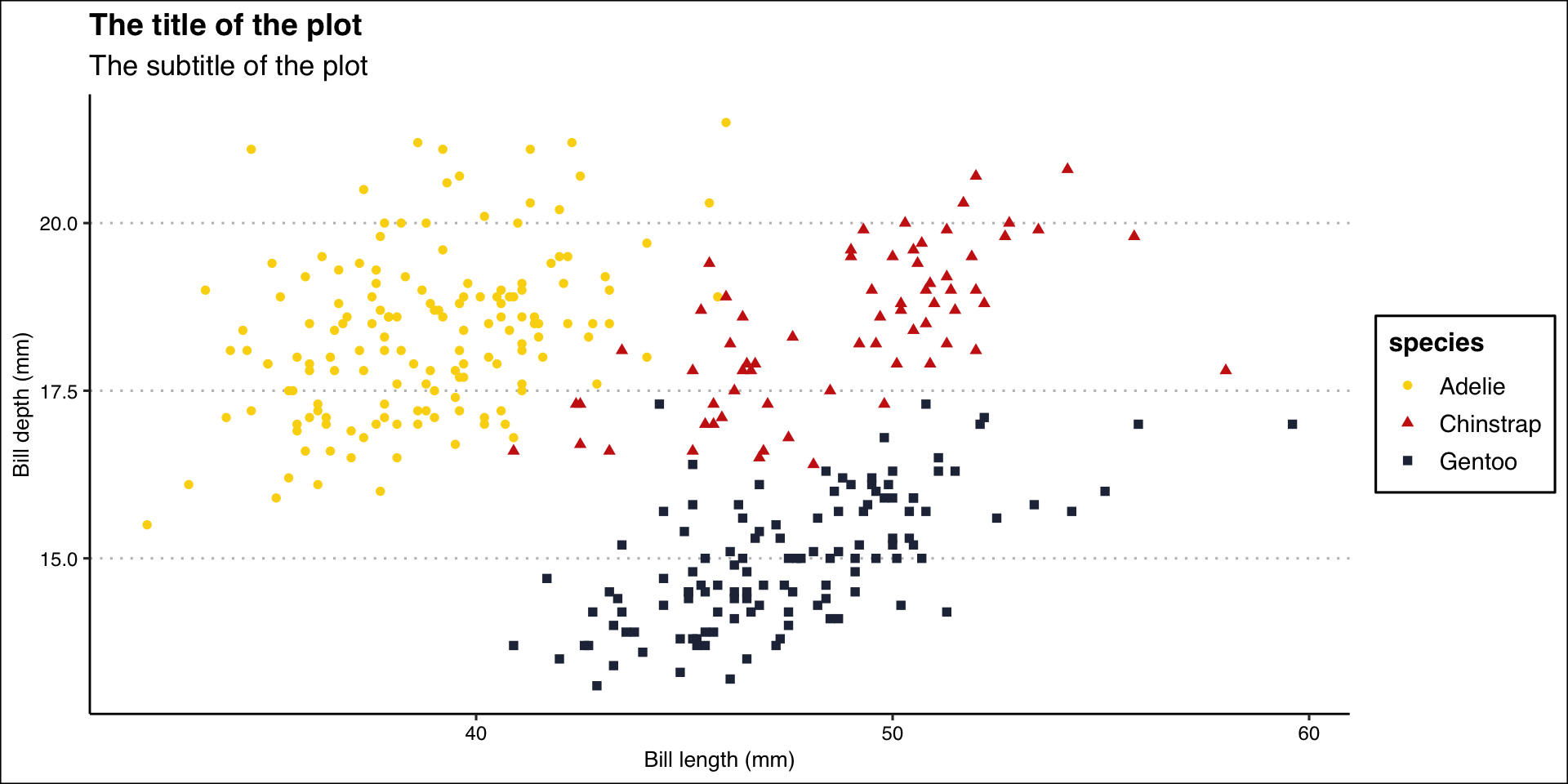
Figure 23

Export Plot

Export/save plot as pdf, jpg or png file.

ggplot(data = penguins,
       mapping = aes(x = bill_length_mm, y = bill_depth_mm)) +
  geom_point(aes(color = species, shape = species)) +
  labs(
    title = "The title of the plot",
    subtitle = "The subtitle of the plot",
    x = "Bill length (mm)",
    y = "Bill depth (mm)"
  ) +
  theme_clean() +
  scale_color_manual(values = wes_palette("BottleRocket2", n = 3))

ggsave("penguins-plot.pdf")
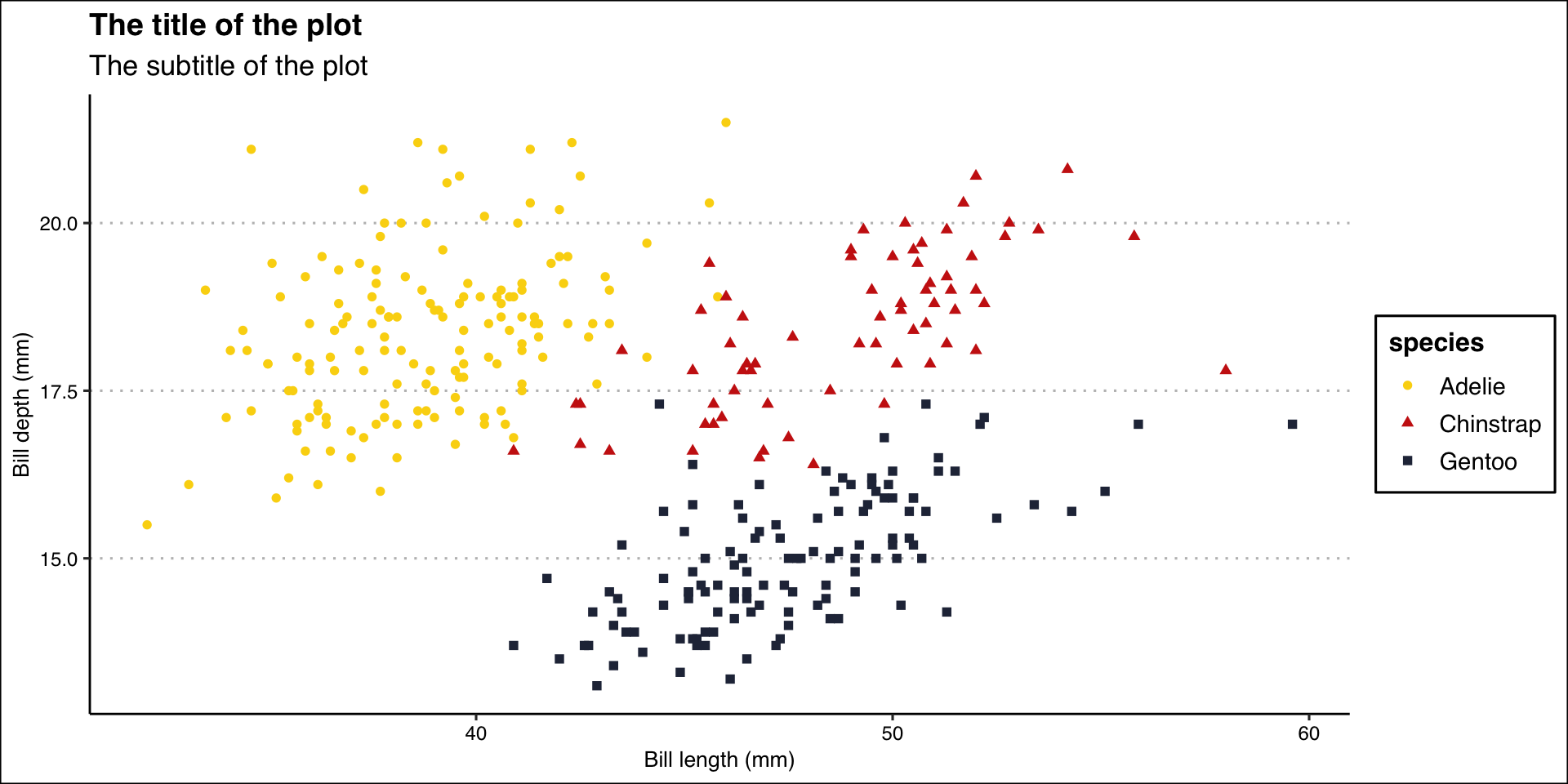

Figure 24

🧑🏽‍💻👨🏽‍💻
Question & Answer