R, RStudio, & Quarto

2nd SARA Statistics Winter School, 23-27 Jan 2026

Reproducible Research


“Research is reproducible when others can reproduce the results of a scientific study given only the original data, code, and documentation.”

Reproducible Research Requires:

  1. Data - access to original data.

  2. Code - others can read, learn & replicate results.

  3. Documentation - complete information about how to conduct the study.

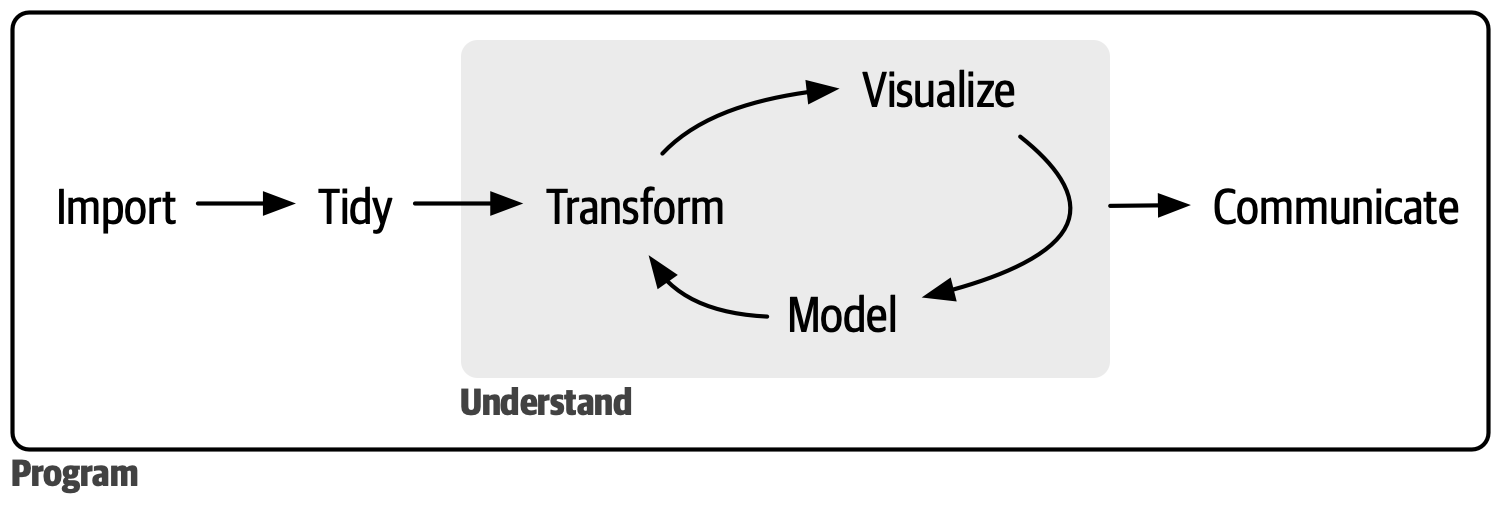
Data Science Project


R Language

R Programming Language


“R is a free software environment for statistical computing and graphics.”

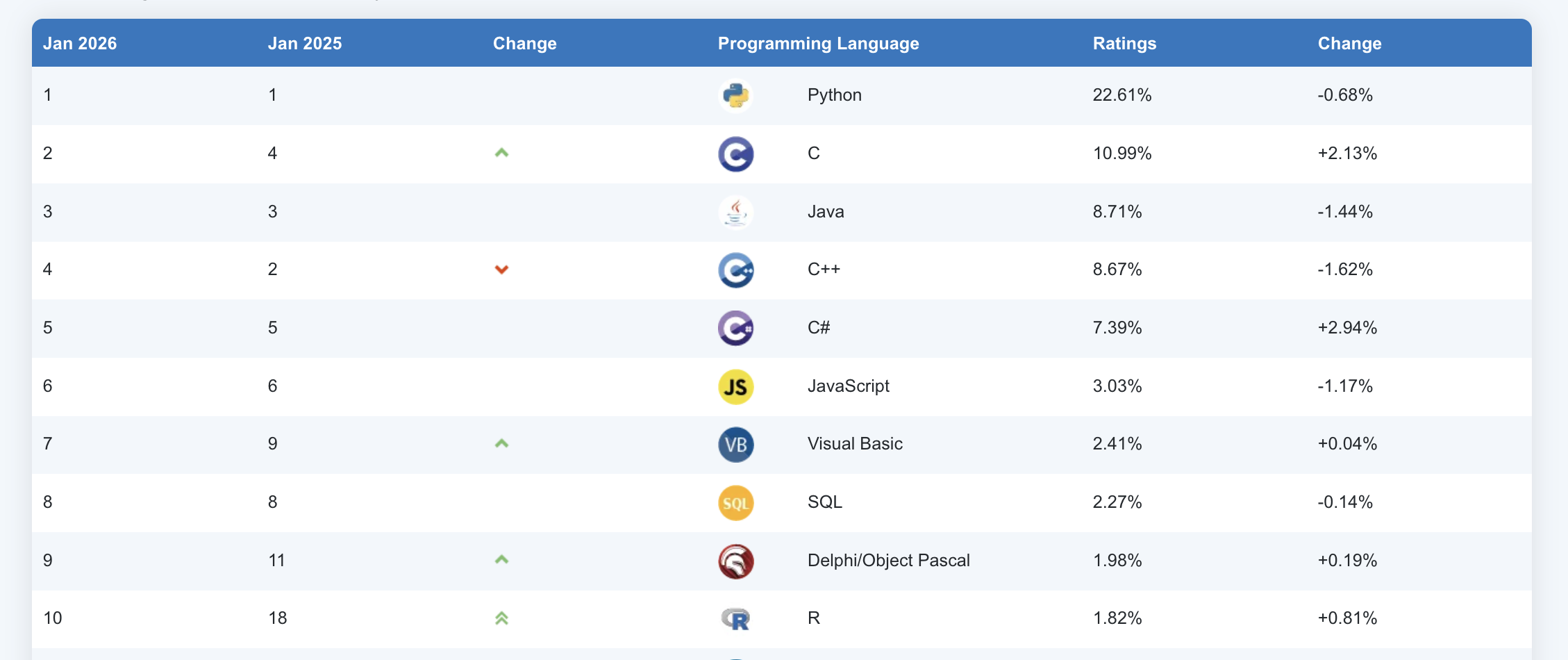
The Top 10 Languages 2026
Practice R Console

  1. Addition

  2. Subtraction

  3. Multiplication

  4. Division

RStudio

RStudio IDE


“The RStudio integrated development environment (IDE) is a set of tools built to help you be more productive with R and Python.”

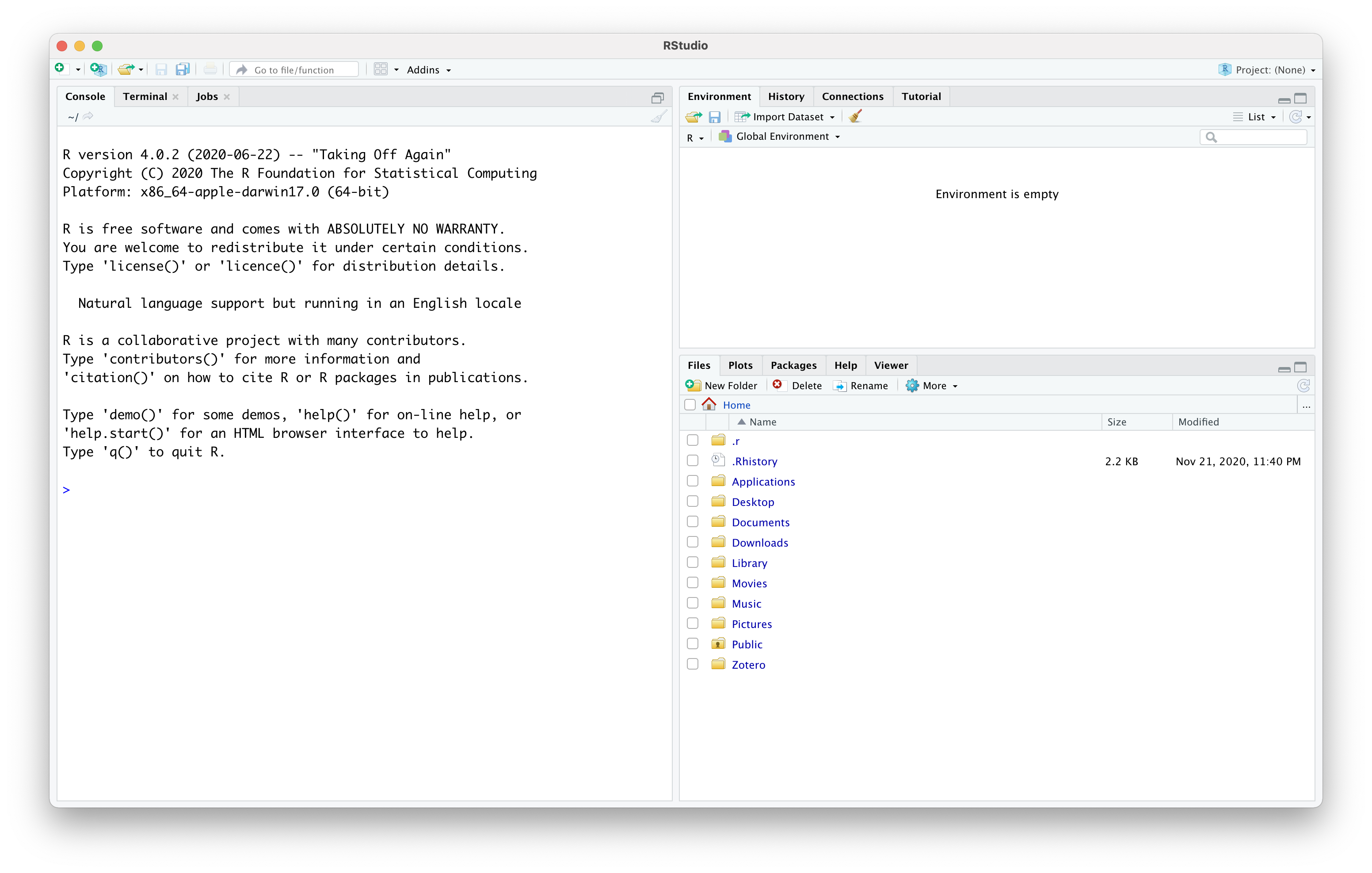
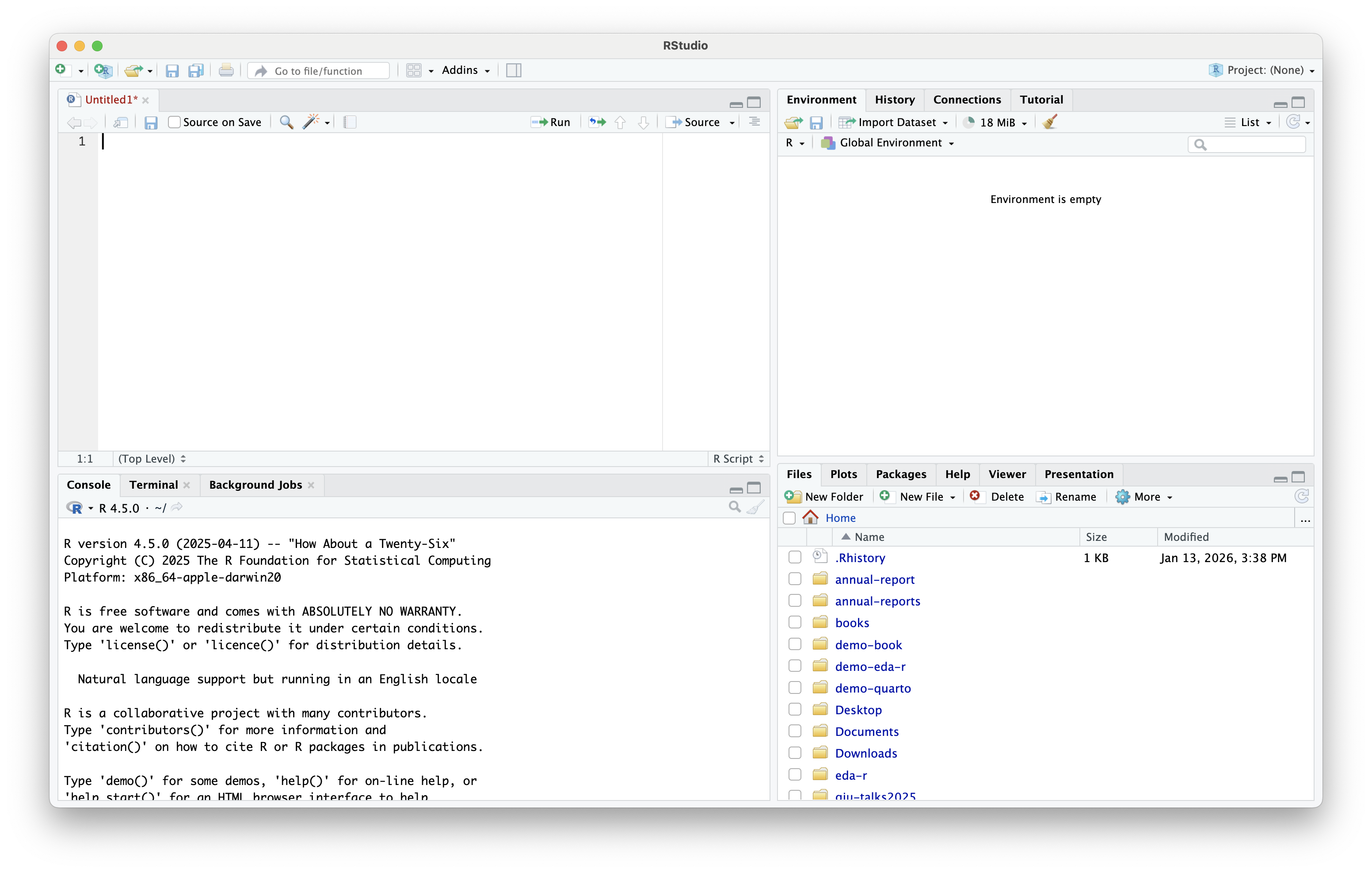
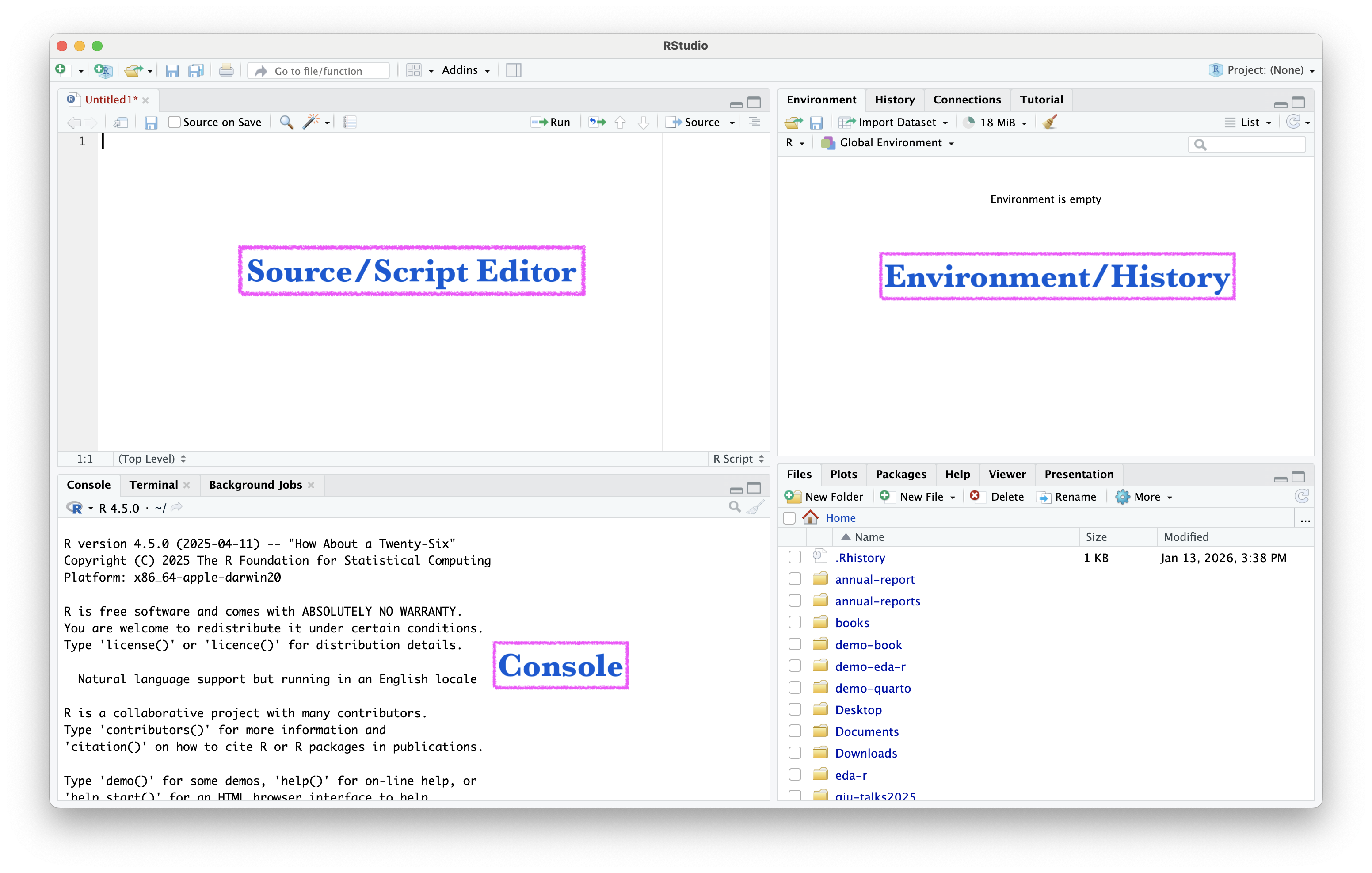
The Four Main Panes
Source/Script Editor
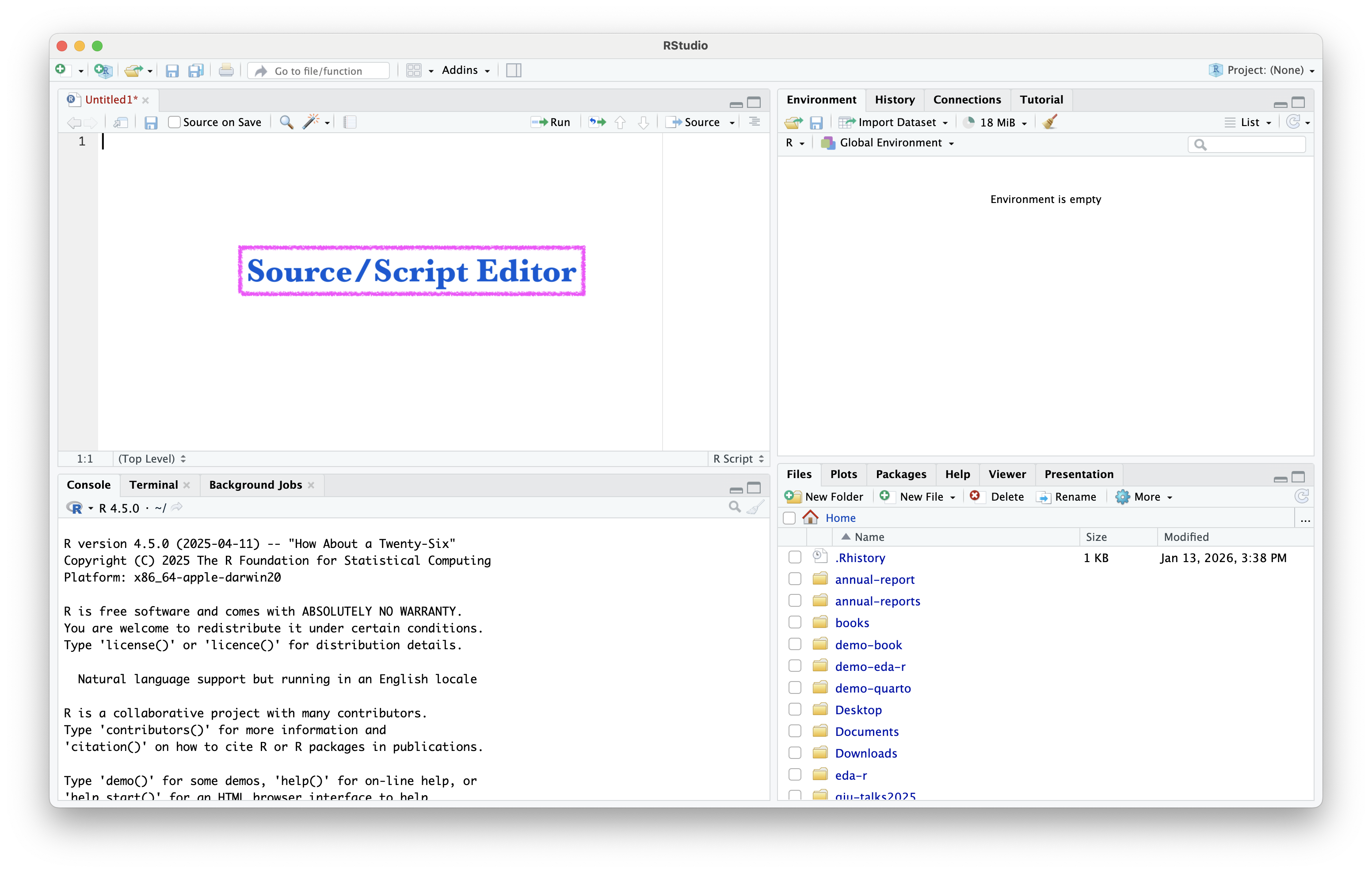
Source/Script Editor

  • Where you write and save R scripts (.R files, .qmd files etc.)
  • Code is preserved for future use
  • Can run line-by-line or entire script

Console
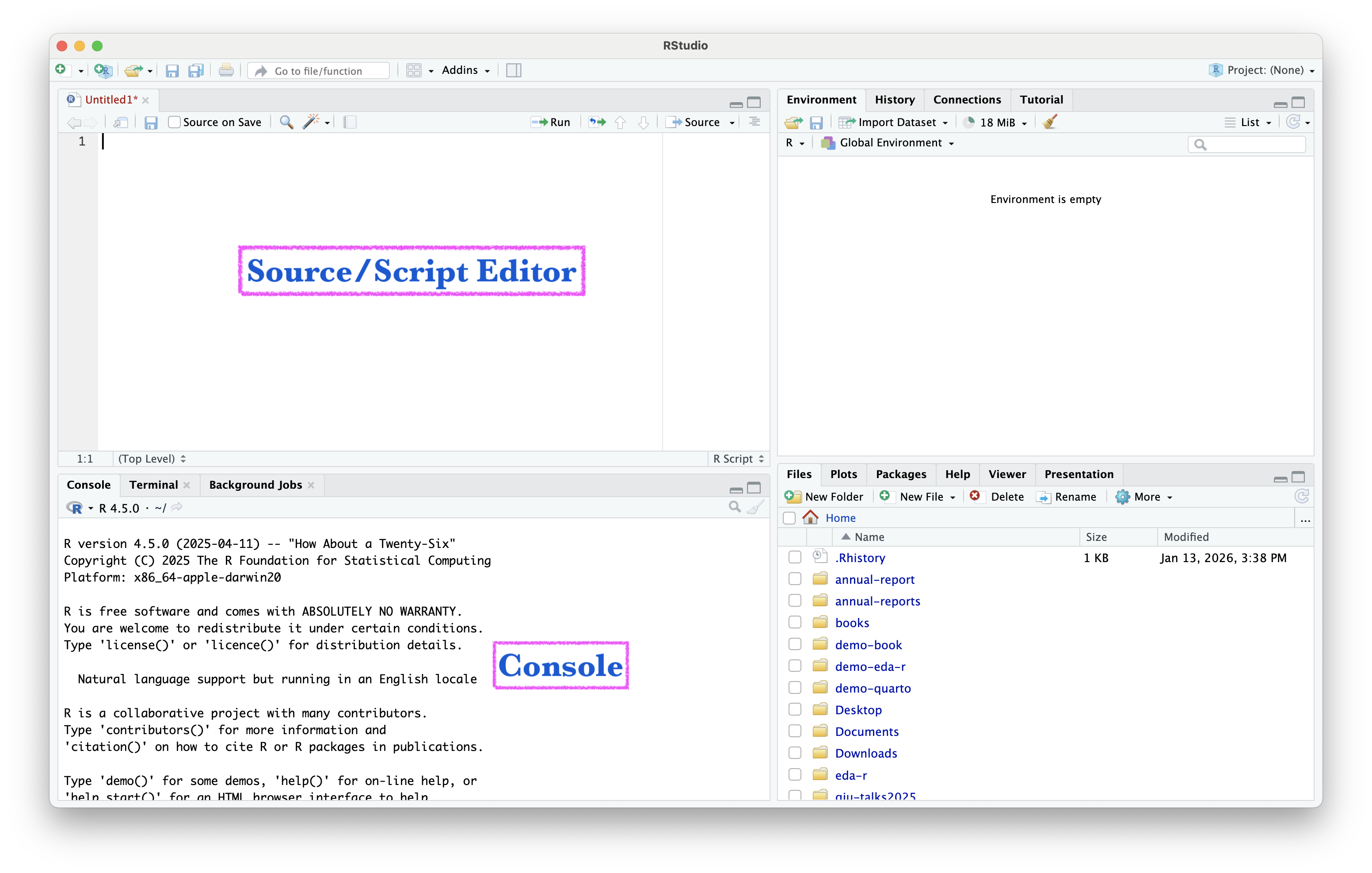
Console

  • Where R code actually executes
  • Results appear immediately
  • Good for quick tests
  • Commands here are NOT automatically saved

Environment/History
Environment/History

  • Environment tab: Shows all objects/variables you’ve created
  • History tab: Shows all commands you’ve run
  • Important concept: Objects in the Environment pane are available for the duration of the current session, but are removed upon restarting R or RStudio

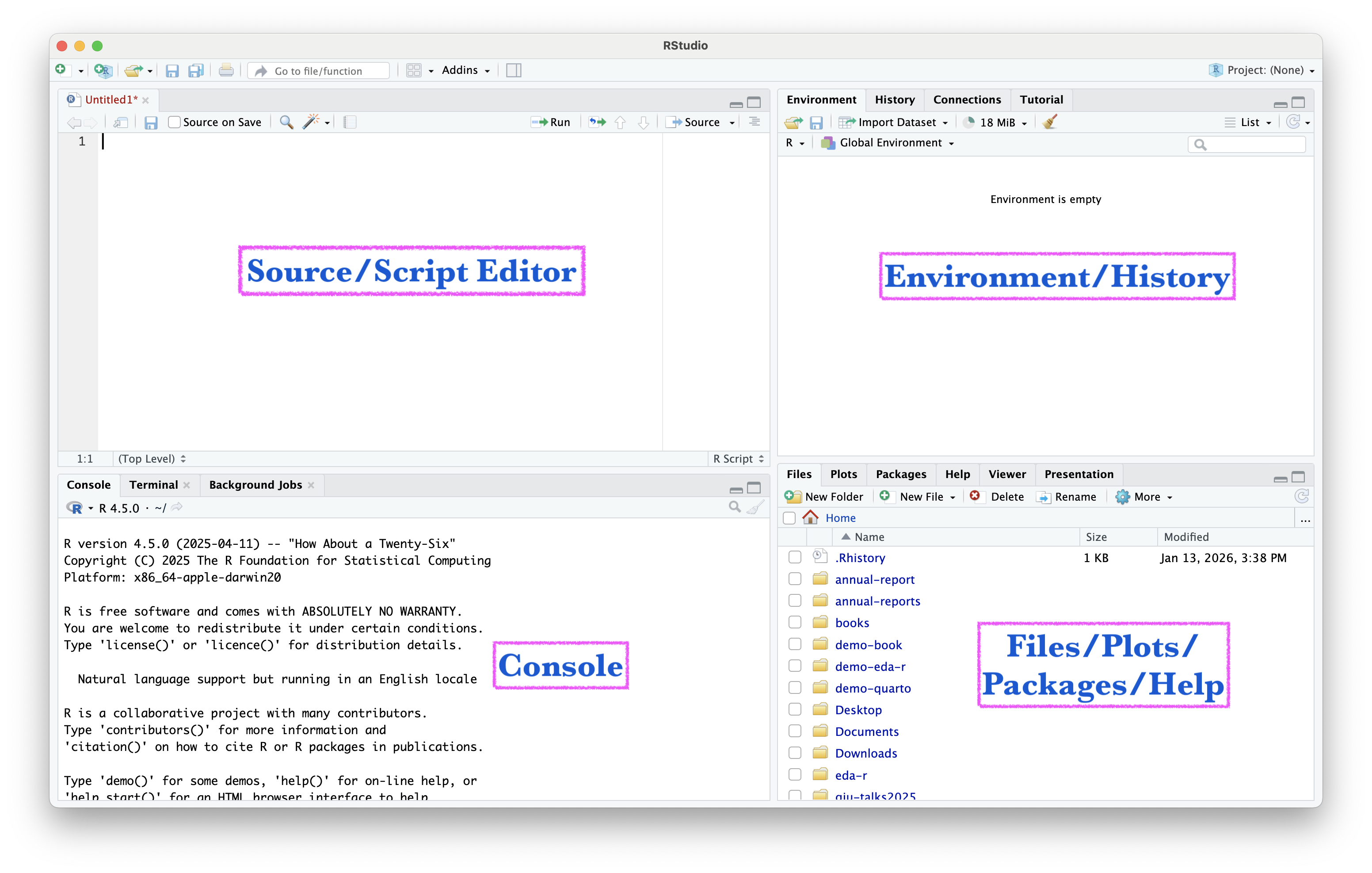
Files/Plots/Packages/Help
Files/Plots/Packages/Help

  • Files: Browse your computer files
  • Plots: View visualizations
  • Packages: Install and manage R packages
  • Help: Access documentation
  • Viewer: Display HTML outputs

Creating and Saving Scripts

  • Scripts are “real” - with R scripts and data files, you can recreate the environment
  • Reproducible research
  • Easy to share with others
  • Save regularly: Ctrl+S (Win) or Cmd+S (Mac)

Working Directory and Projects

  • Working directory = where R looks for files by default
  • Projects automatically set working directory
  • Keeps everything organized in one place

RStudio
Project
in 4 Steps

Open RStudio

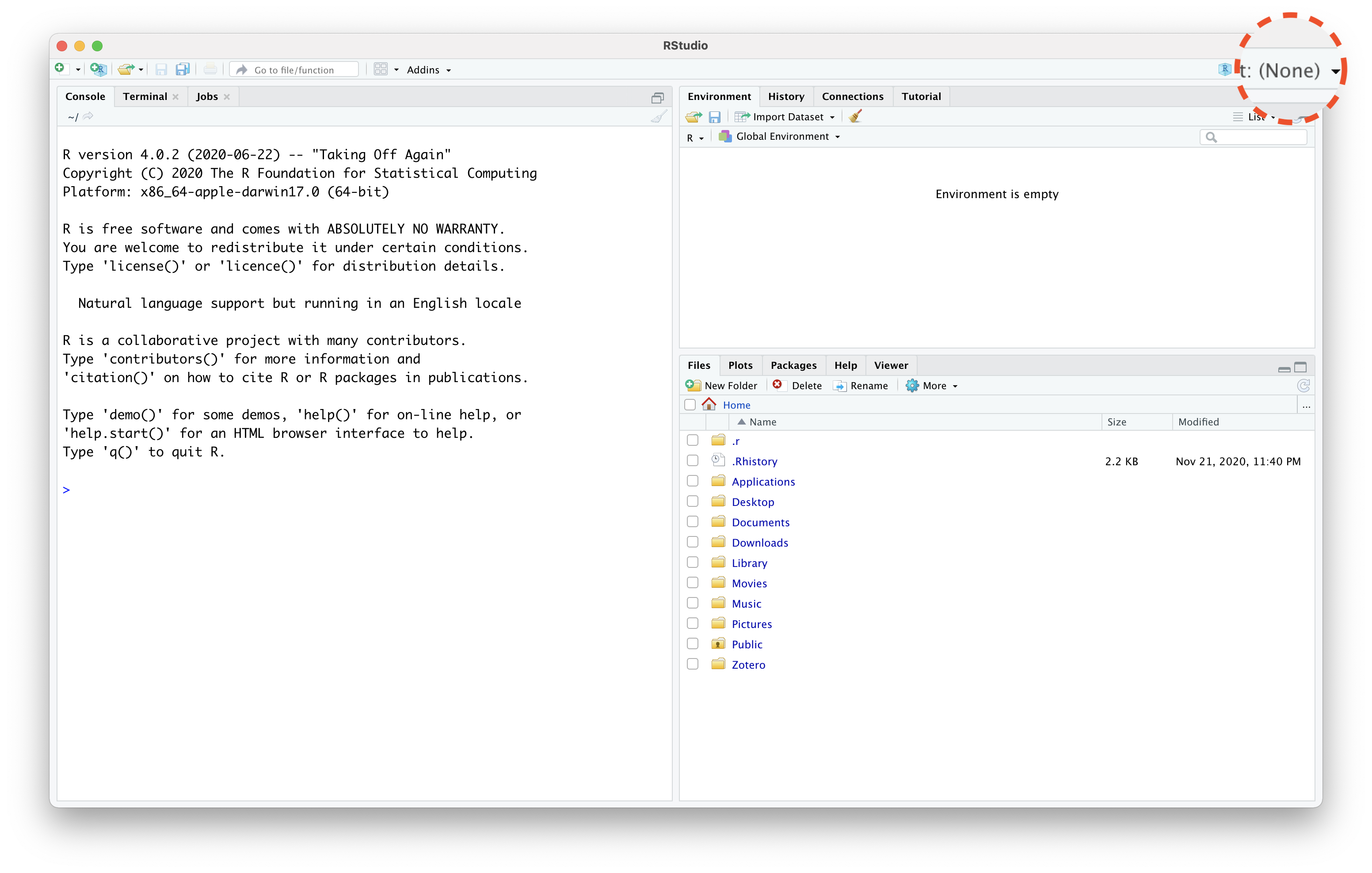
RStudio Without Project
RStudio Without Project
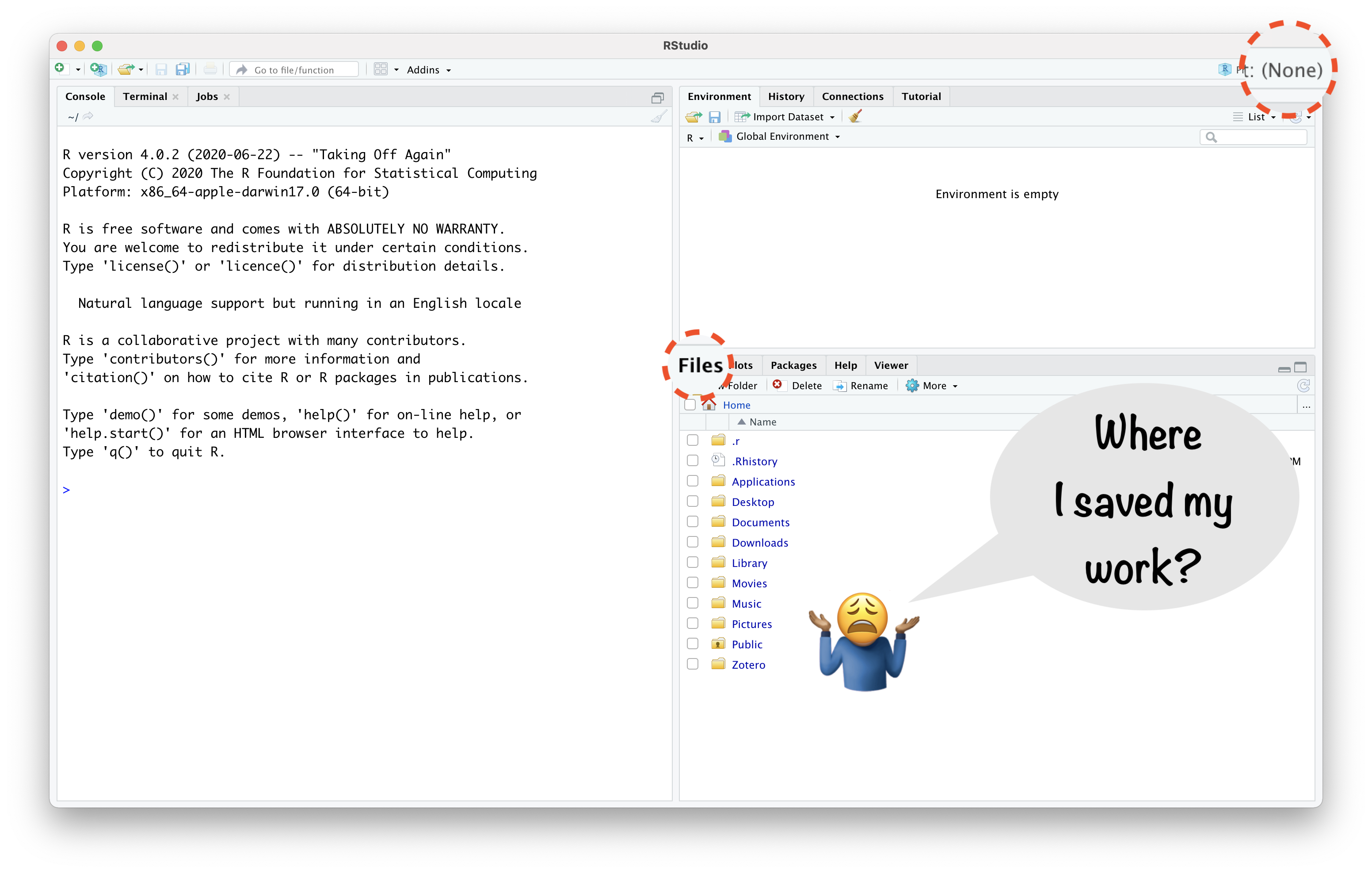
RStudio Project Helps:

  • “to divide your work into multiple contexts, each with their own”
    • working directory,
    • workspace,
    • history, and
    • source documents.”

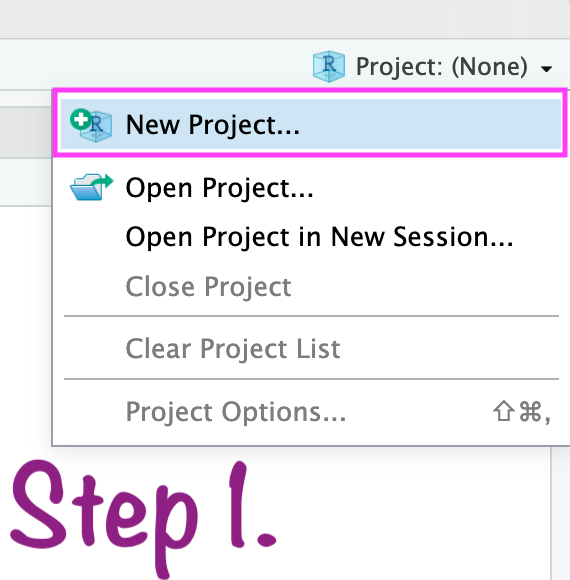
Create RStudio project

Create RStudio project
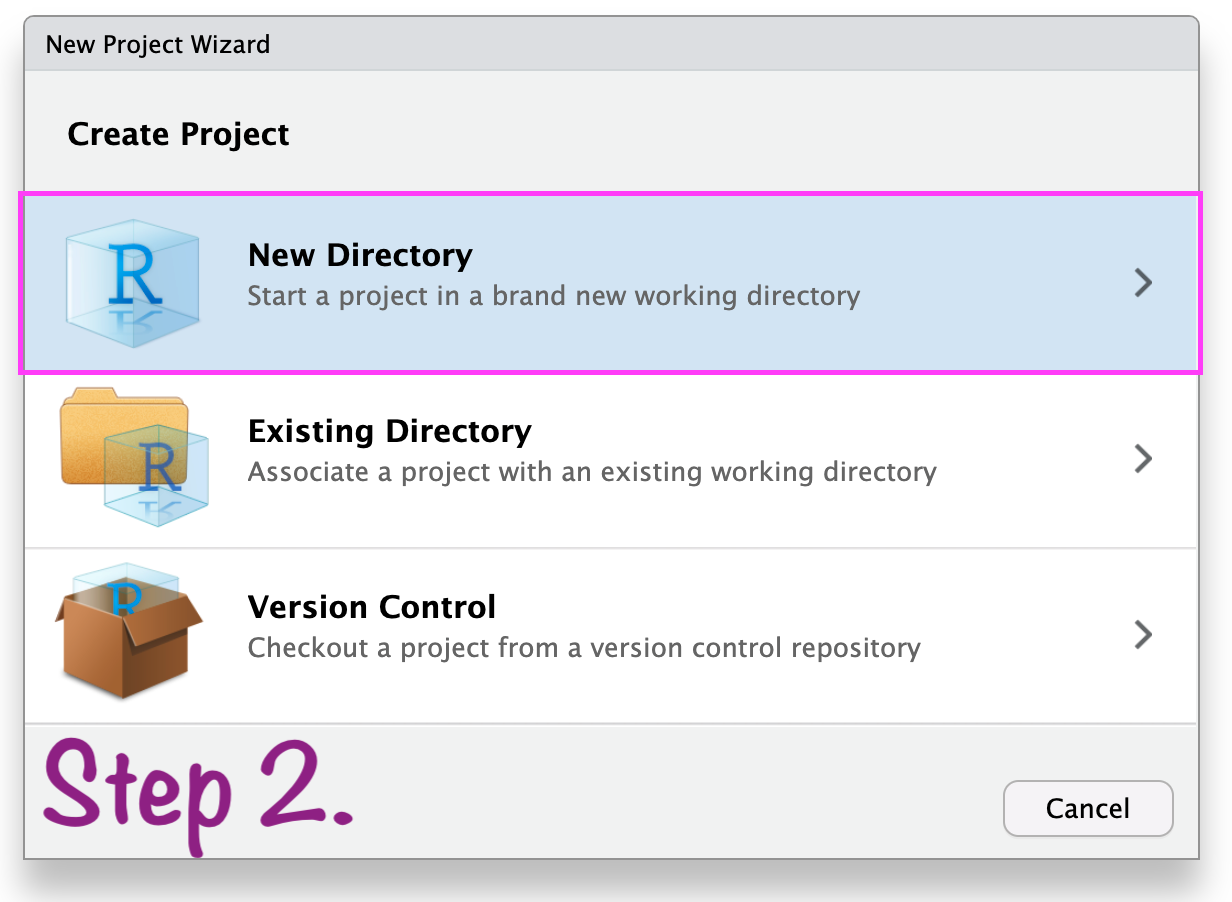
In case anything goes wrong\(...\)
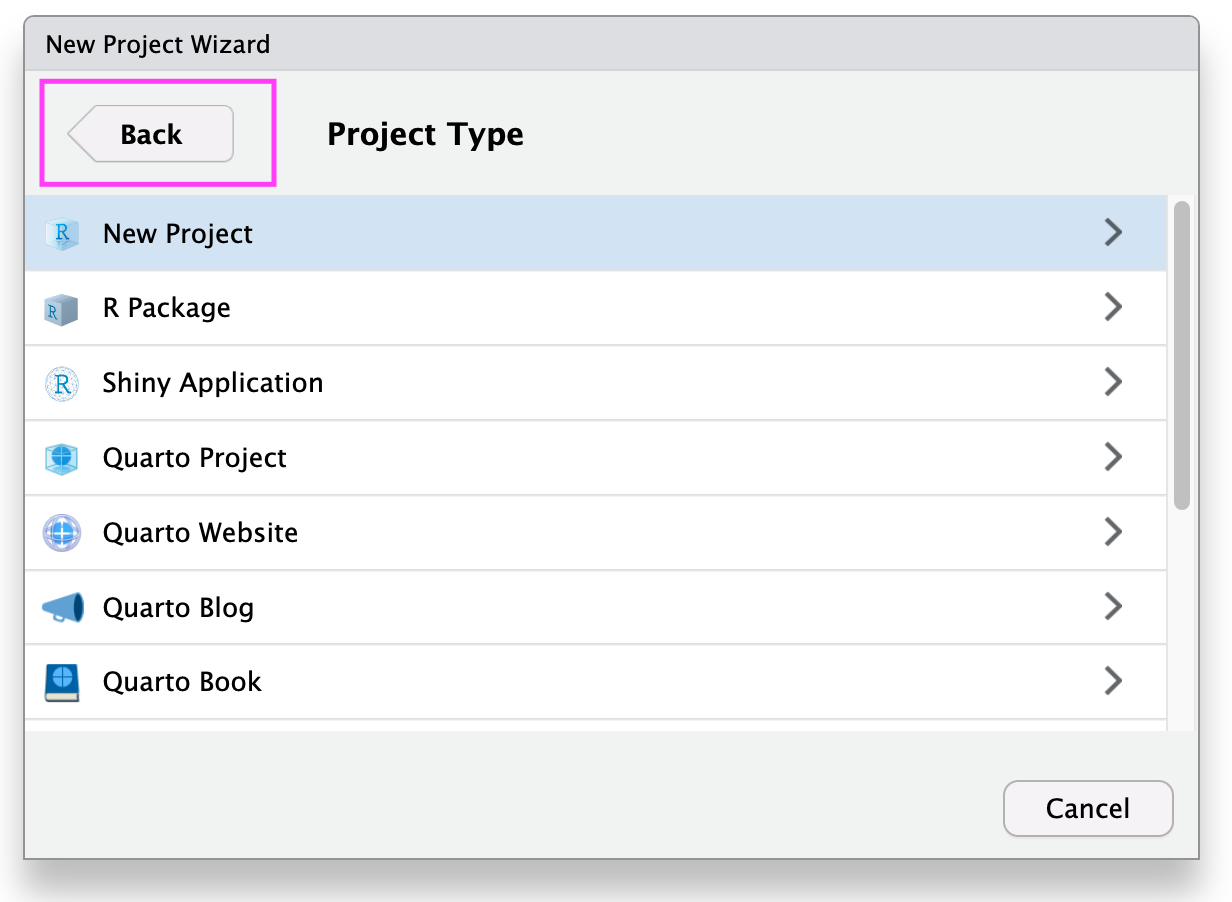
Create RStudio Project
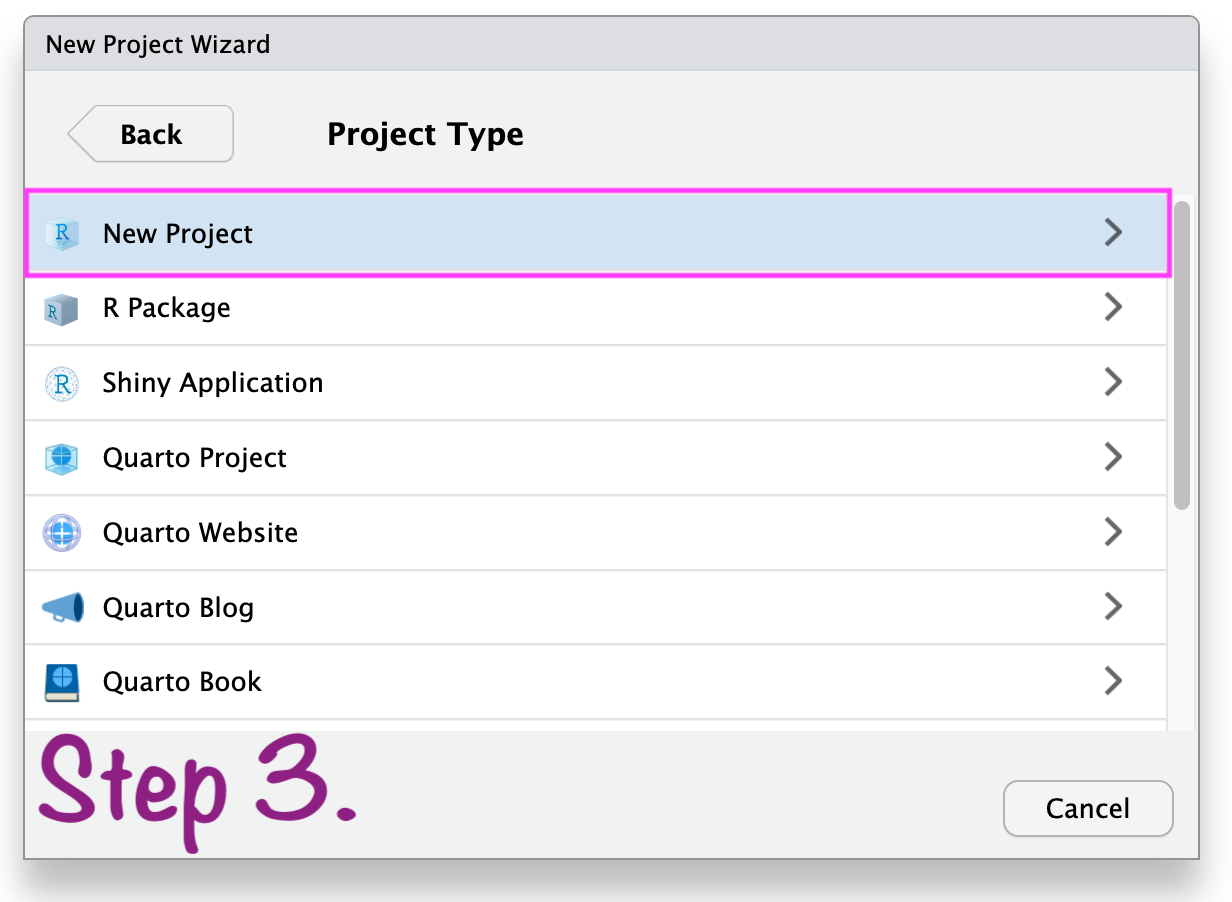
Create RStudio project
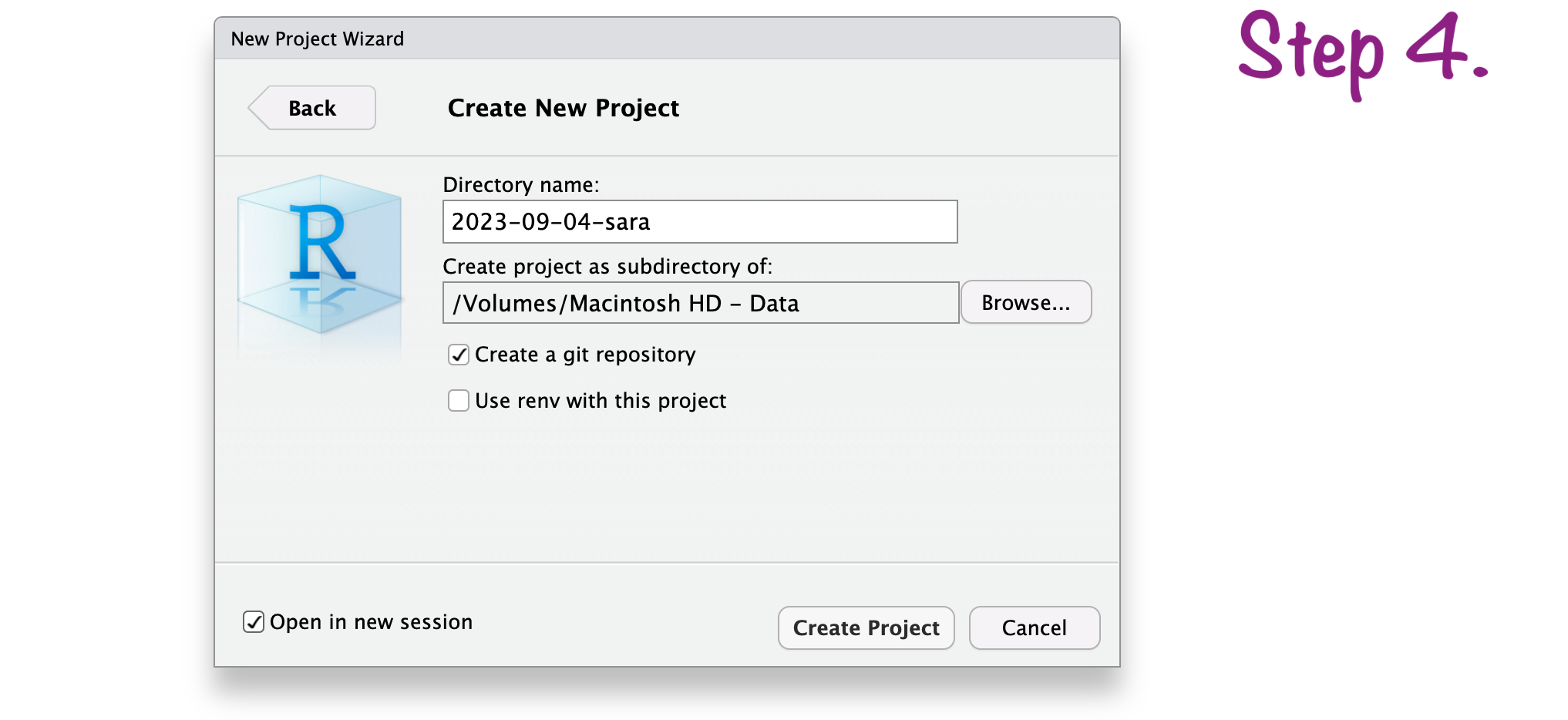
Create RStudio project
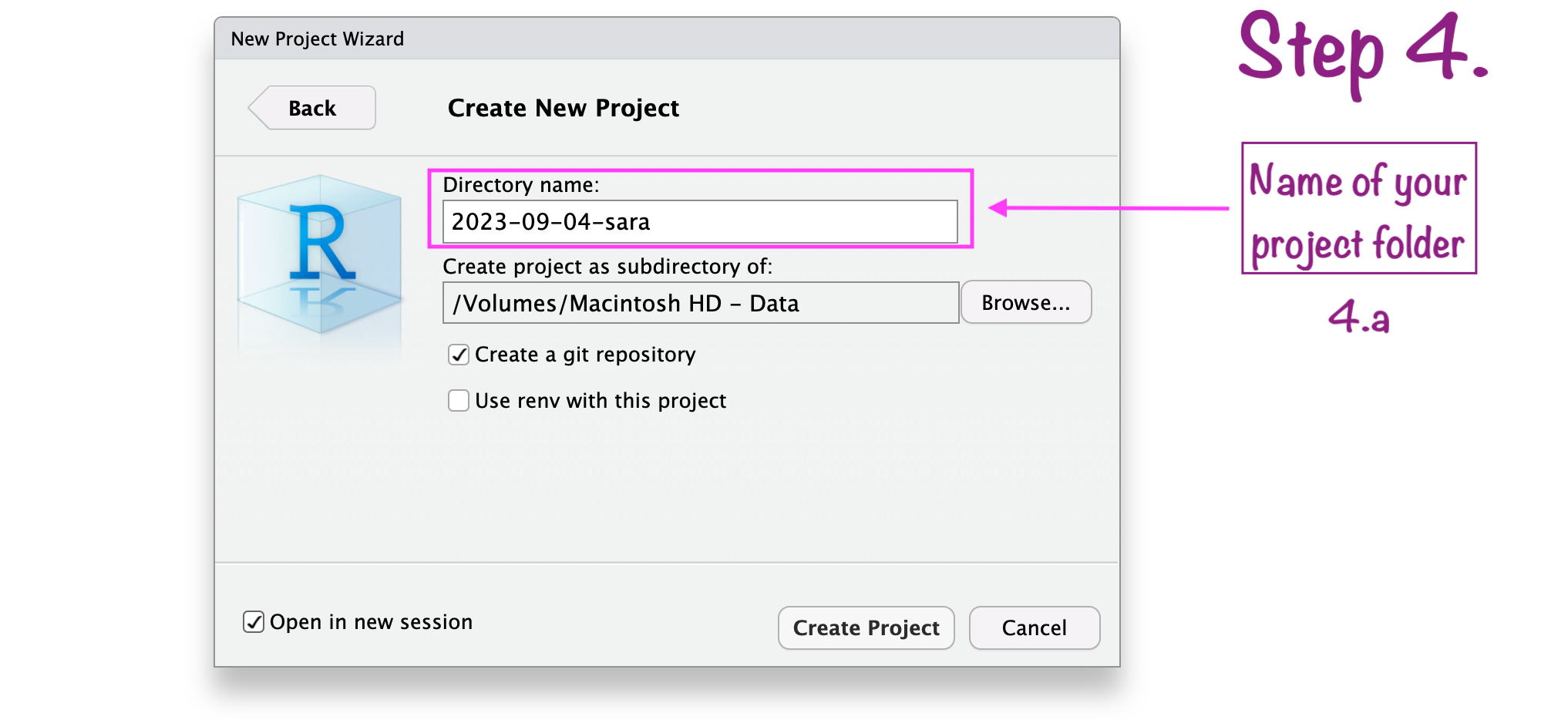
Create RStudio project
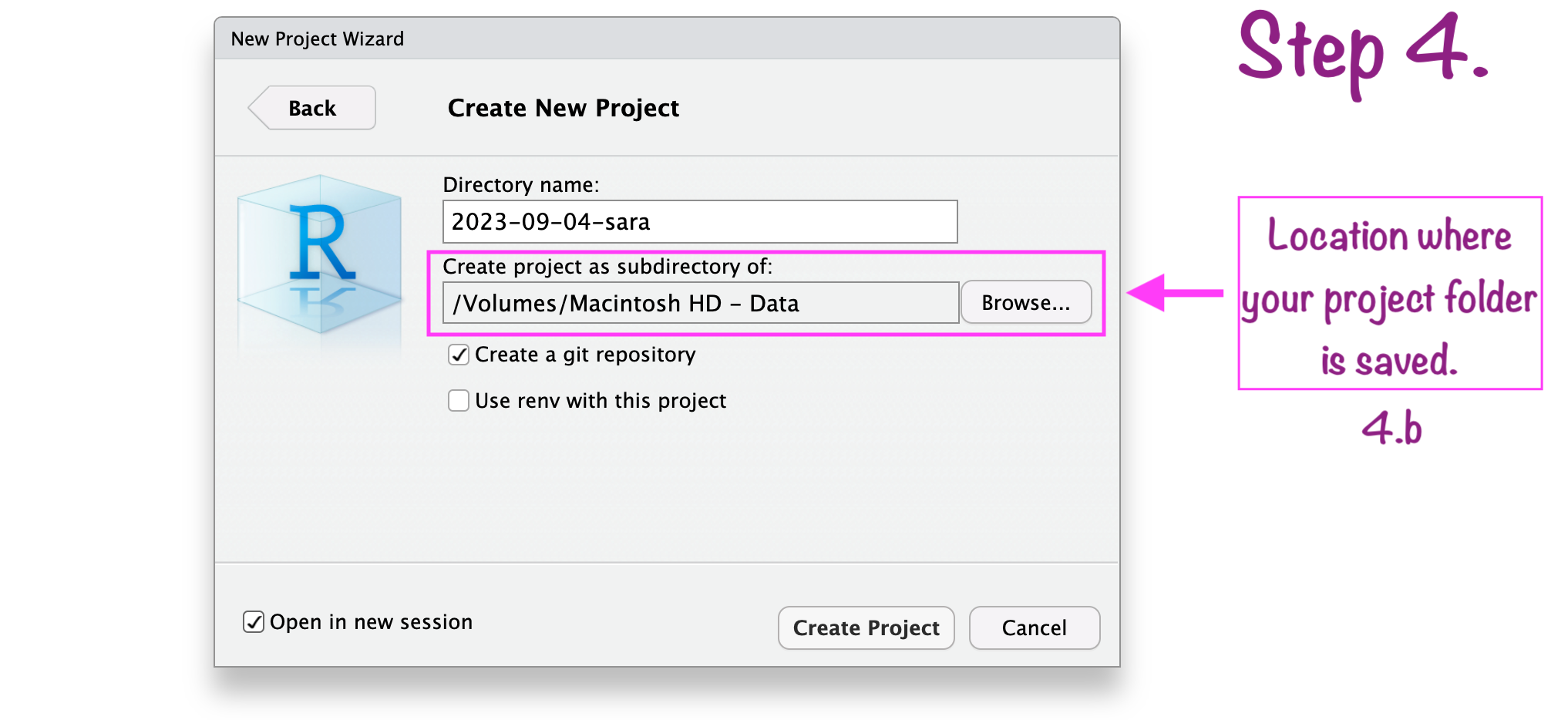
Create RStudio project
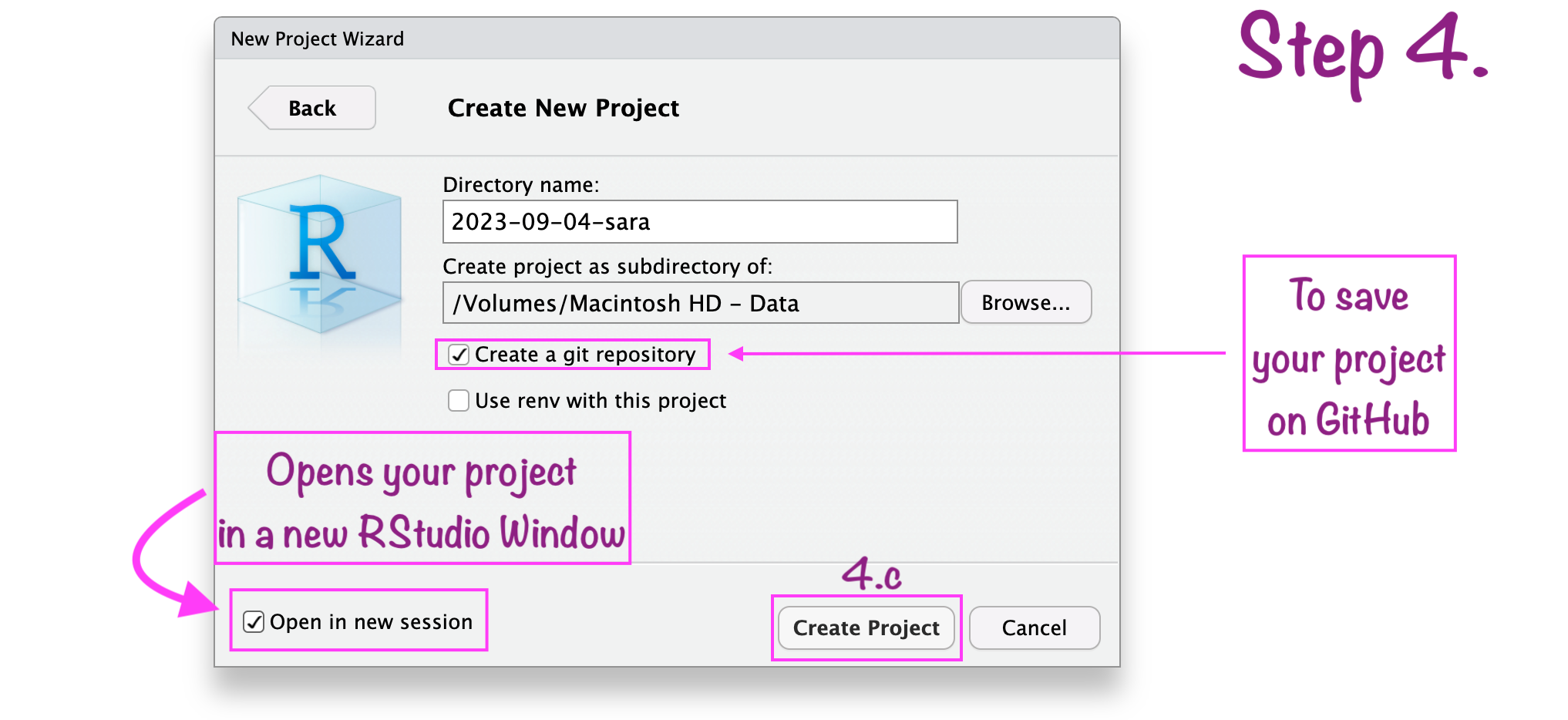
RStudio project “name”
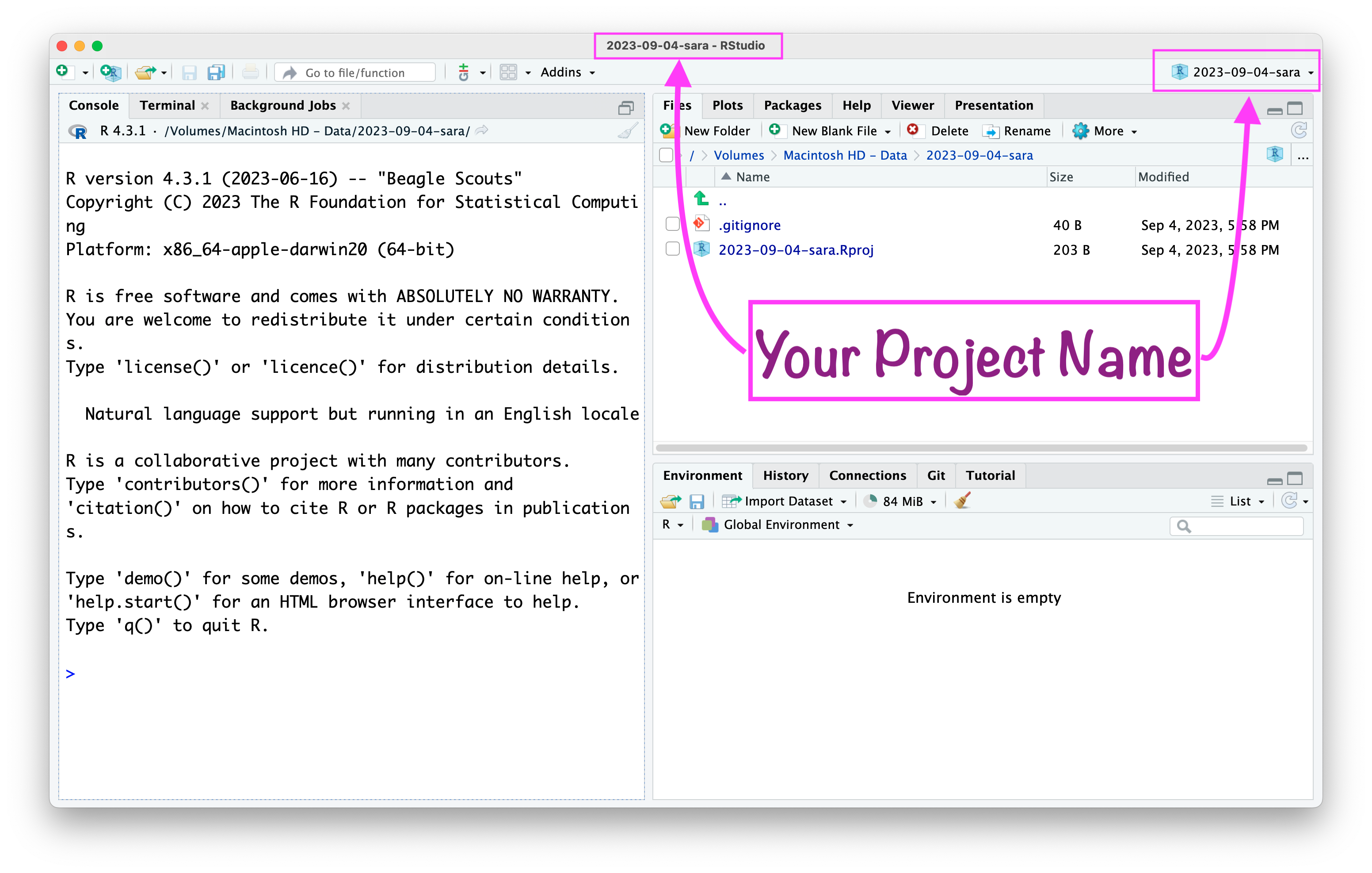
RStudio project “path”
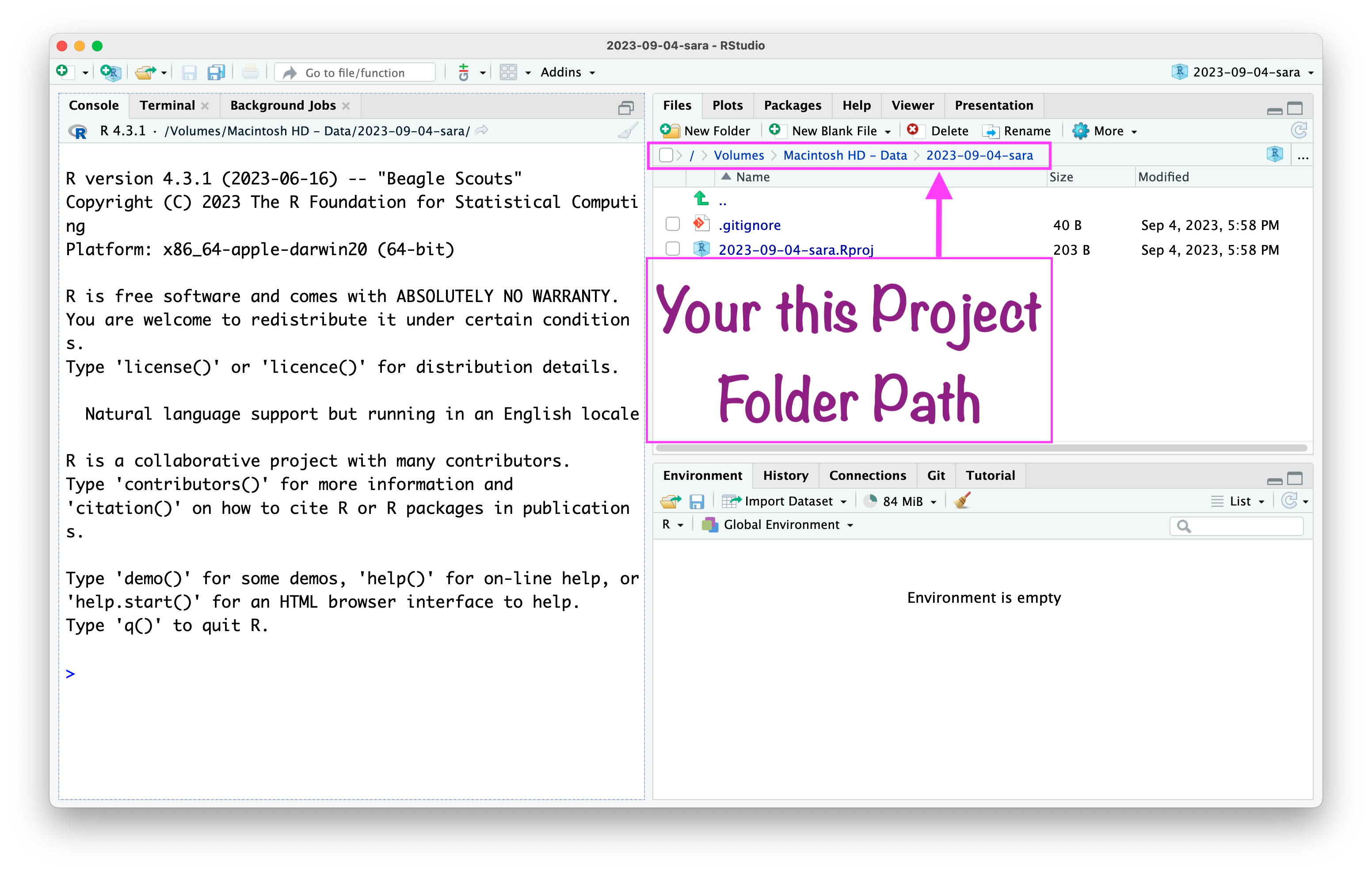
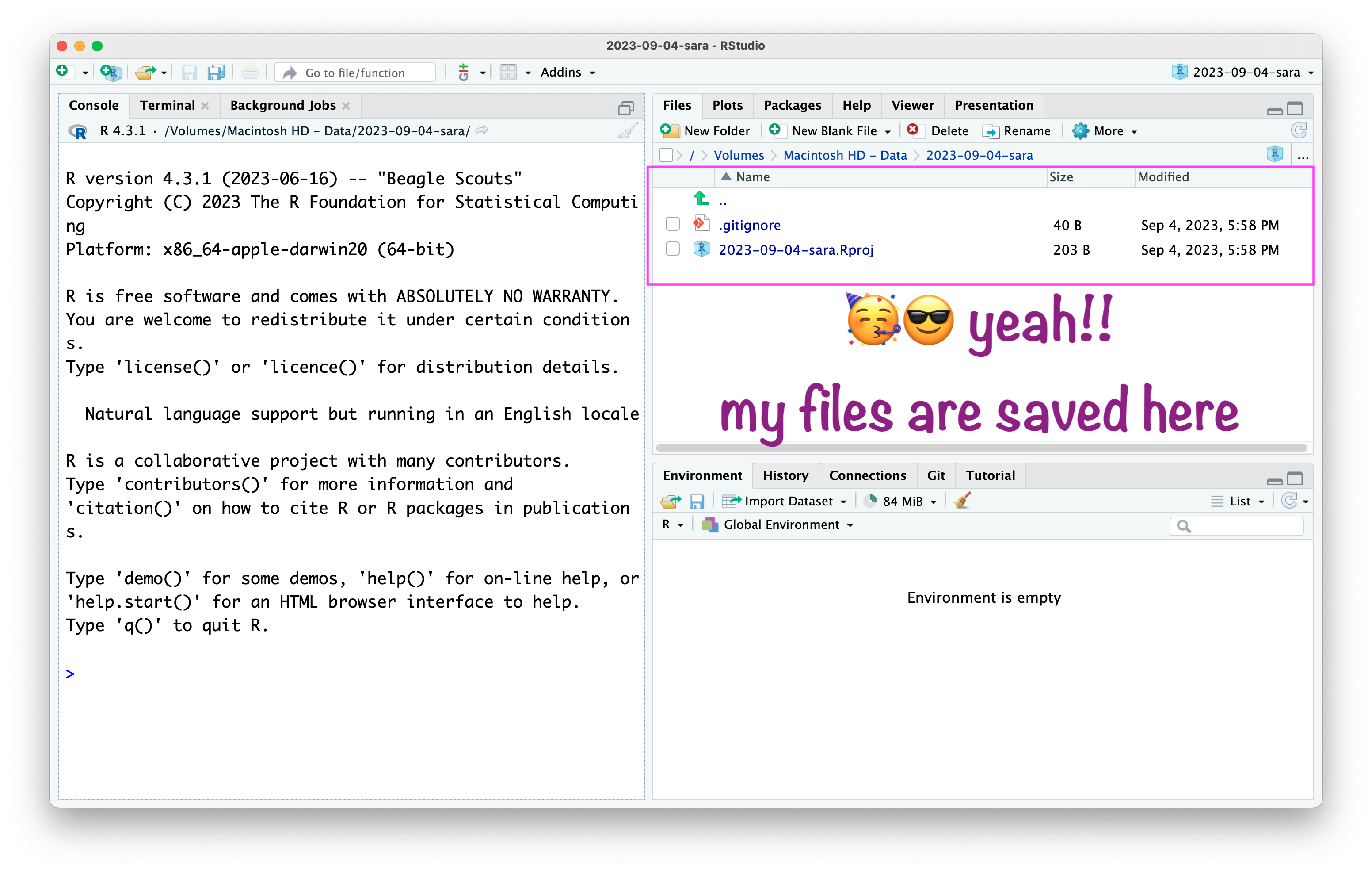
RStudio project
Installing and Loading Packages

  • Installing (only once):

install.packages("tidyverse")

  • Loading (every session):

library(tidyverse)

Getting Help

  • ?function_name - Opens help documentation
  • Help tab (bottom-right pane)
  • Tab key for auto-completion and hints

Comments (#)

  • # This is a comment - R ignores this line

  • x <- 5 # Comments can go after code too

Essential Keyboard Shortcuts

Action Windows/Linux Mac
Run current line Ctrl + Enter Cmd + Enter
Run entire script Ctrl + Shift + Enter Cmd + Shift + Enter
Save script Ctrl + S Cmd + S
New script Ctrl + Shift + N Cmd + Shift + N
Assignment operator <- Alt + - Option + -
Comment/Uncomment Ctrl + Shift + C Cmd + Shift + C

Practice R Software

  1. Addition

  2. Subtraction

  3. Sequence

  4. Function structure

  5. Combine

  6. Create an object

Quarto

“An open-source scientific and technical publishing system”

Quarto can produce a wide variety of output formats:

Articles & Reports

Presentations

Interactive Docs

Websites

Books

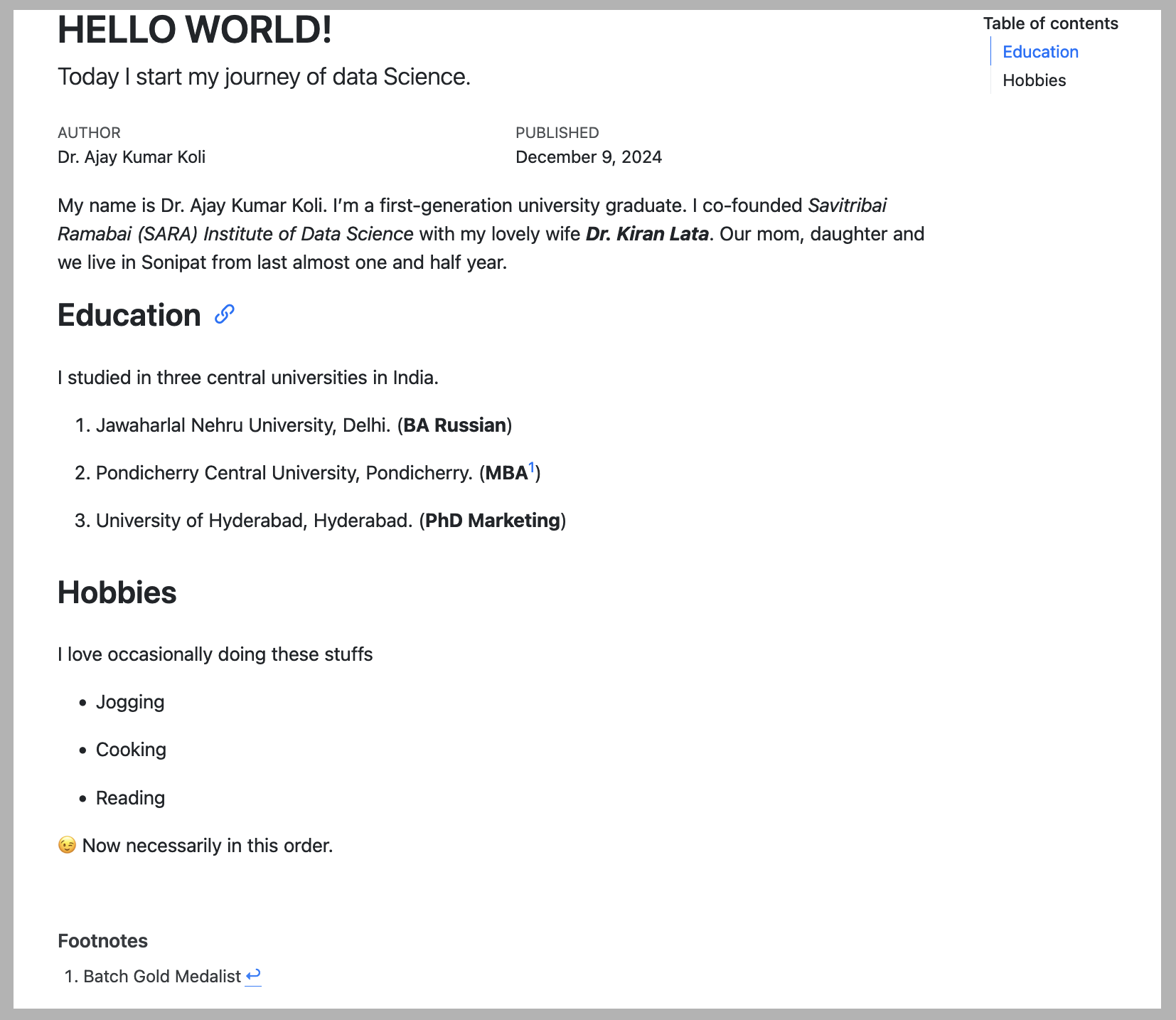
Quarto Structure

Practice Quarto using RStudio

  1. Create a Quarto document with HTML format.

  2. Explain YAML, more about Quarto YAML options.

  3. Explain Text, more about Quarto text formating

  4. Explain Code Chunk; more about the Quarto code chunk options

🤯 Your Turn

References

Alston, Jesse M., and Jessica A. Rick. 2021. “A Beginner’s Guide to Conducting Reproducible Research.” The Bulletin of the Ecological Society of America 102 (2): e01801. https://doi.org/10.1002/bes2.1801.
Wickham, Hadley, Mine Cetinkaya-Rundel, and Garrett Grolemund. 2023. R for Data Science: Import, Tidy, Transform, Visualize, and Model Data. 2nd ed. edition. Beijing Boston Farnham Sebastopol Tokyo: O’Reilly Media.